
Register Feature in Klevr Portal Extension
This article provides an in-depth exploration of the newly implemented Register feature in the Klevr Portal Extension.
Article Description:
This article provides an in-depth exploration of the newly implemented Register feature in the Klevr Portal Extension. It explains its functionality, its relevance to business workflows and how to create and use Register Segments.
Understanding the Generic Register Feature in Klevr Portal Extension
Generic Register feature is a versatile tool designed to streamline your business workflows. This article will walk you through its workings, functionalities, and its significance.
What is the Register Feature?
The Register feature is a newly implemented feature in the Klevr Portal Extension that supports various business workflows. The contents of the Register can change based on the implementation, and it can include records such as architects, auditors, practitioners and more.
How Does the Register Feature Work?
The Register lets both internal staff and public members search and filter records based on relevant criteria. It's used to create Register Segments of relevant records, which can then be reviewed and linked to projects within the Grants, streamlining project planning.
Creating a Register Entry
For instance, to create a Register Entry for an Account or Contact:
- Create a Register Entry for Account or Contact: Bob Smith
- Specify the type of Entry, for instance: 'Architect'
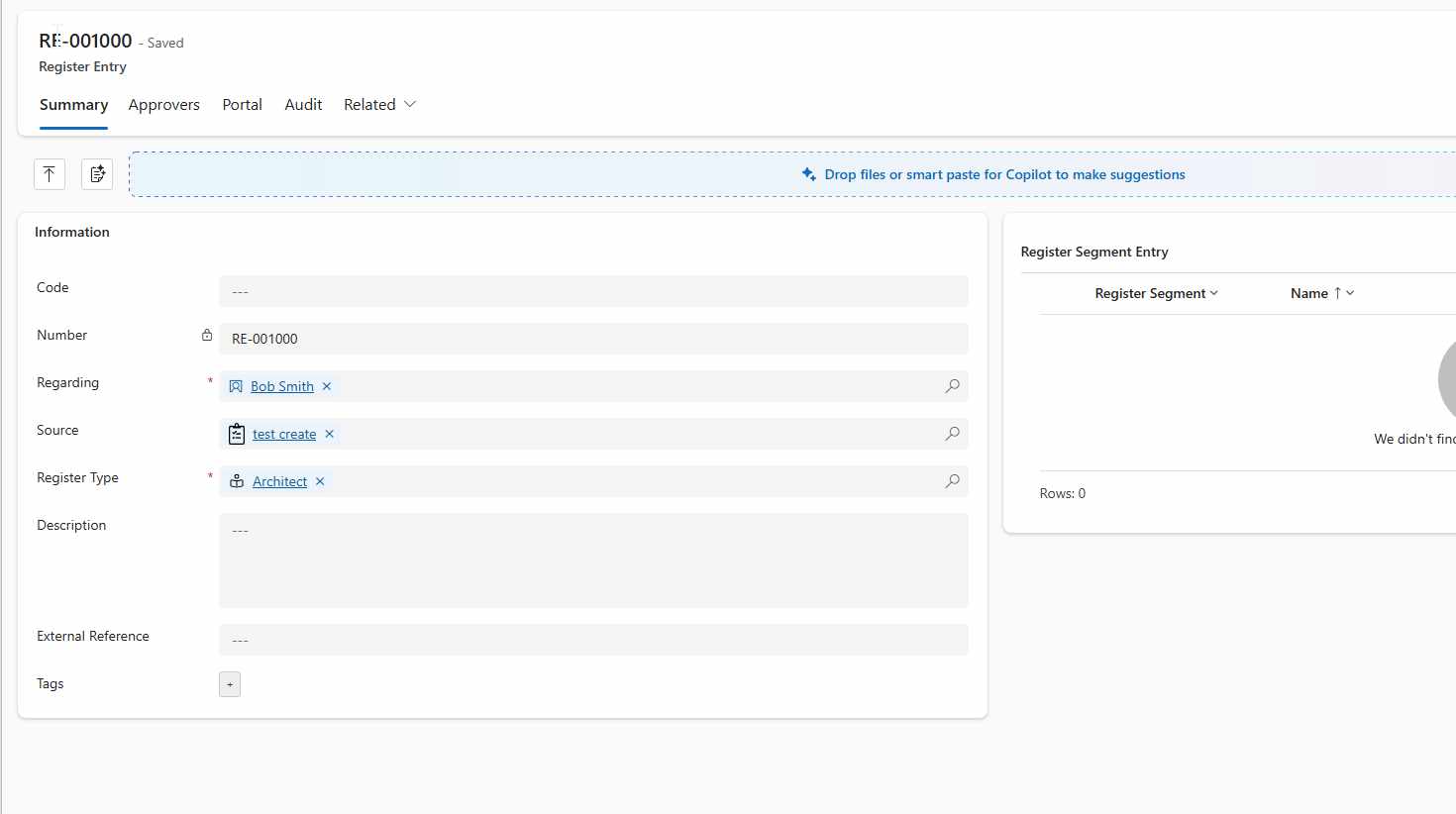
- If Bob has been added to a Register Segment, a record will appear in the Register Segment Entry subgrid.
Utilizing Register Segments
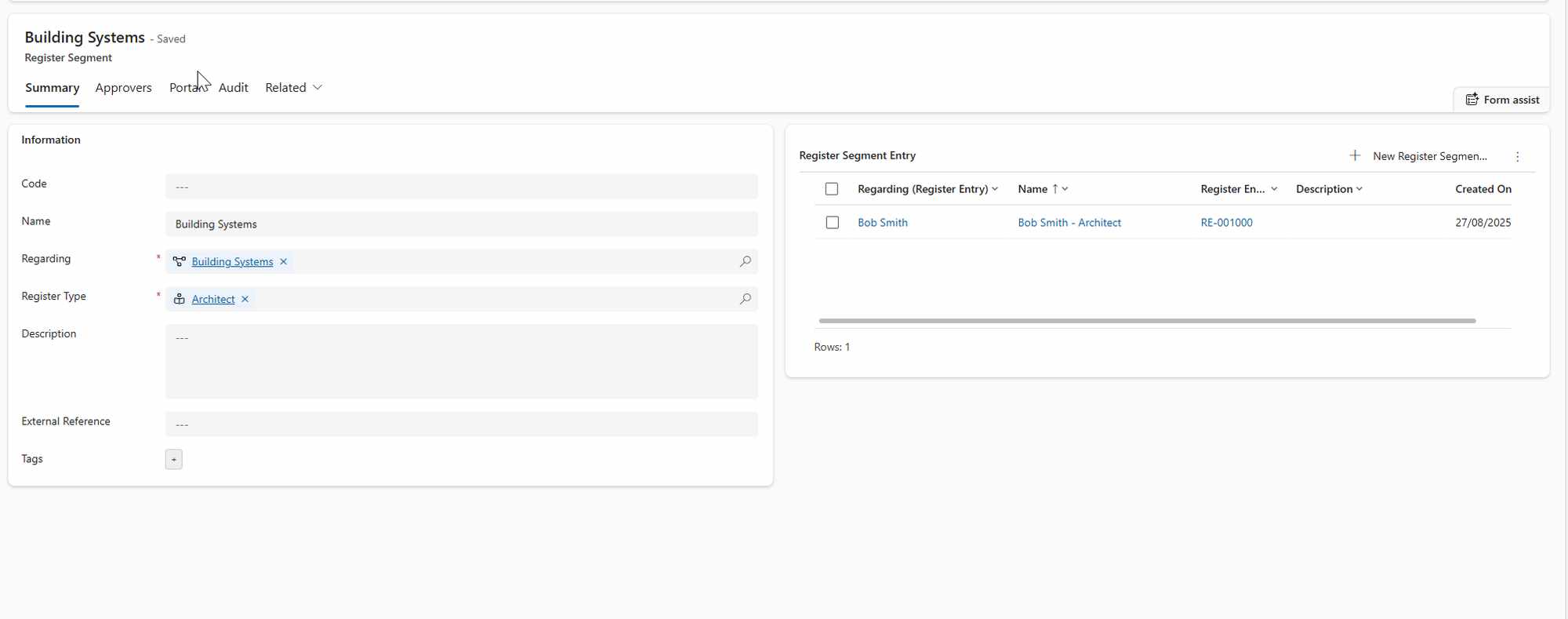
If there is a project, such as 'Building Systems,' requiring a list of Architects, a Register Segment can be created for that project and assign Register Segment Entries to be part of the Segment.
Register Segment for the Building Systems project:
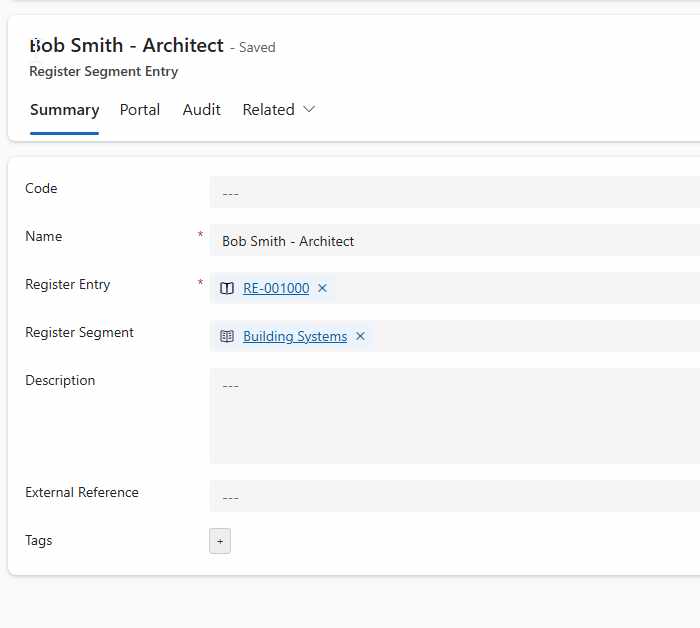
Adding Architects to the Register Segment Entry, for example I have added Bob Smith Register Entry to this record.
Last updated on