
Using an External (Self-Managed) Payment Provider / Processor
In situations where an existing payment provider or complex processing outside of the scope of Klevr Fundraising is desired, you can use an externally...
Background:
In situations where an existing payment provider or complex processing outside of the scope of Klevr Fundraising is desired, you can use an externally managed payment processor. Within the product, most functionality, other than some basic validation and scheduled record creation, is bypassed when using an externally managed payment provider. Record statuses are left as is, and it is up to the customer specific business processes to progress records through their statuses.
Getting Started
First thing to do is to set up an externally managed payment processor. In Settings, navigate to Payment Processors. Create a new record. In the drop down, select “Externally Managed”. The Payment Provider with the lowest number for priority is used first in some cases where the system has to pick the most appropriate processor, therefore if you want your default payment provider to be used for most scenarios, give the externally managed provider a higher number in the priority field than your other provider(s).
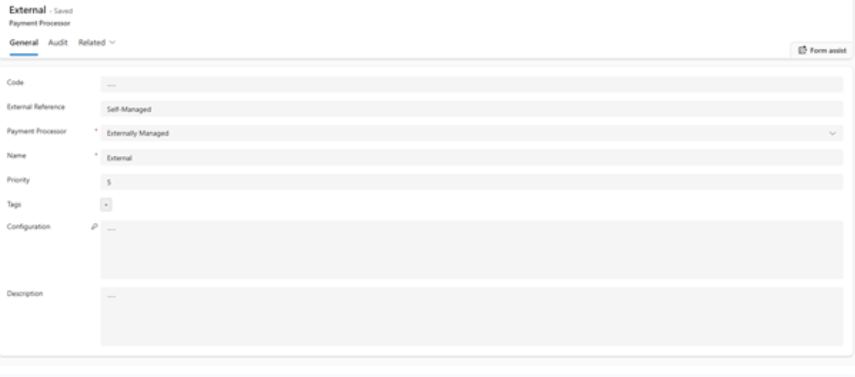
All payment related records associated to this payment provider will then be handled differently by the system. See below for how specific entities are dealt with.
Contact Payment Method
When adding a payment method to a contact, you can select your external payment processor and click save.
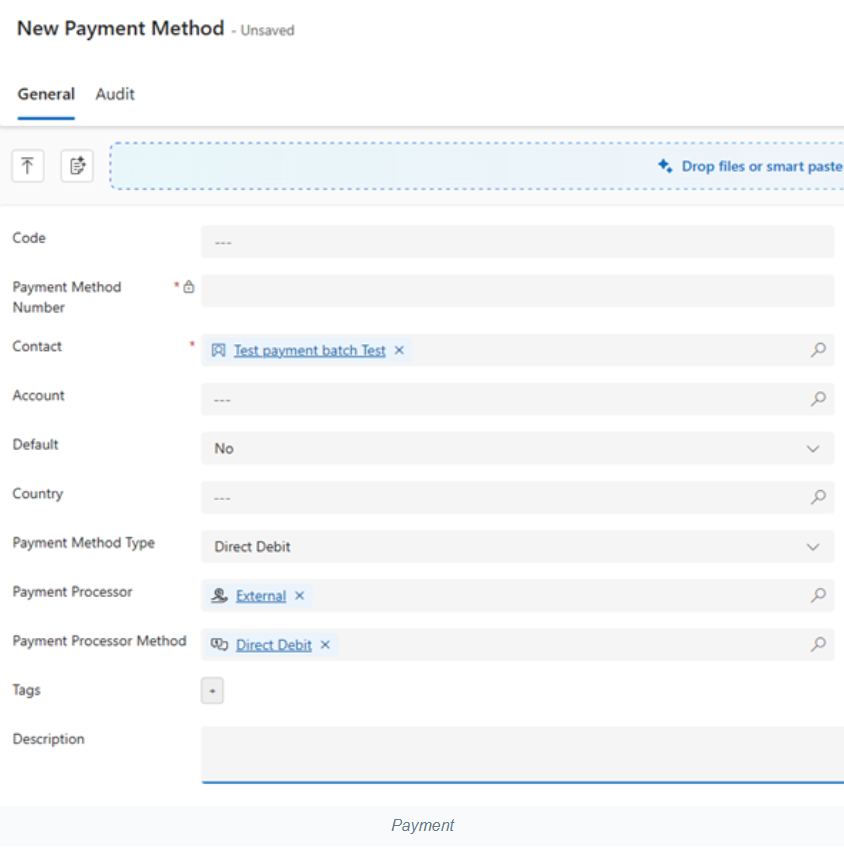
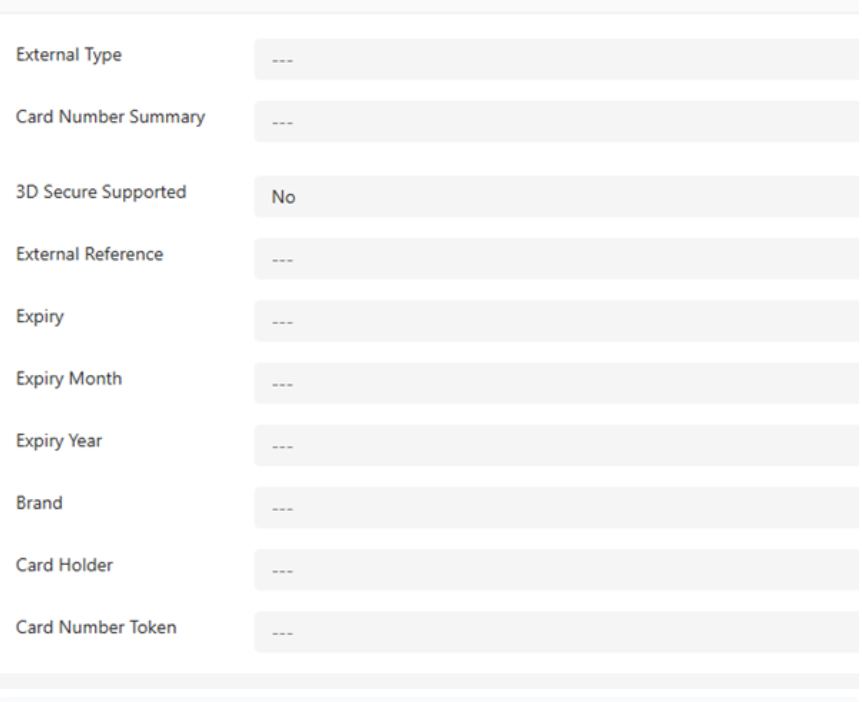
Now when you click on the “Add Payment Details” ribbon button, instead of being directed to a payment gateway page to enter credit card info, the system will simply unlock the gateway specific fields, allowing the user to manually enter the information on the form itself. None of it is mandatory, but it is recommended to use the external reference or card number token fields to store your payment provider ID’s.
Unlocked Fields:
Payments
When a payment is loaded with a payment method that uses an externally managed payment processor, or when the payment processor is set to External, the payment will not be processed by Klevr fundraising. The Payment Status and Status Reason will be left intact, and it will be up to the customer specific processes to progress the payment through its statuses. For instance, with a normal provider, setting the payment status to requested will initiate a payment and set the status to succeeded, blocked or whatever the outcome is. With an external provider the payment status will remain in Requested, and no integration will take place. No retries, No error logging and no status updates will be automatically applied. A payment type of link with an externally managed processor will also do nothing and the link field will not be updated.
Payment Schedules
Payment schedules that relate to an externally managed payment processor will create the payment record when its scheduled time is due. However, the payment record will follow the process above where it is simple left in the initial status and not processed.
Payment Batches
Payment batches with payment schedules with external processors will create batches as normal and process the associated Payment Schedules as normal. By default, batches are batched per provider and further batched by any field specified in the “Batch Grouping” field on the associated batch config (e.g. transactioncurrencyid). This means that you can have a mixture of Payfurl and Externally managed payment schedules in a single Batch Config. When the batch config is processed on its next due date, it will create a Payfurl batch and an externally managed batch, process the payment schedules as per Payment Schedule Logic above (meaning the payment record will be created and associated to the batch). The batch status will be untouched and left in draft. It will be up to the customer specific processes to process all the payments in this batch, update their status, and finally update the batch status to Processed.
If you intend to use batches for schedules that are linked to an externally managed provider, then it is important to have a process to set the Batch status to processed, otherwise the next time the batch schedule executes, it will find the existing draft batch and add new payments to the existing batch instead of creating a new batch.
Payment Status Updates
A custom API called Klevr_SavePaymentStatus is available to use to assist in updating the payment status of the financial transaction after processing.
| Klevr_SavePaymentStatus_Description |
|---|
| String |
| Typically some success or failure message that's easy to read, e.g. "Processed successfully" |
| Klevr_SavePaymentStatus_Details |
| String |
| Exact details from the payment gateway, e.g. technical error desciiption. |
| Klevr_SavePaymentStatus_ErrorCode |
| String |
| Error code from payment provider. This is used to look up a matching payment failure record, and determine the retry policy. |
| Klevr_SavePaymentStatus_Target |
| Guid |
| The ID of the klevr_financialTransaction record to update Returns a string that notes what has occurred |
Returns a string that notes what has occurred:
| Hard stop - No retry specified." : "Retry count exceeded. |
|---|
| Subscription status updated. ({status}) |
| Error: Retry count exceeded. |
| Warning: Retry triggered. |
Purpose: This Custom API processes payment transaction status updates from external payment processors.
What it does when called:
When invoked with a financial transaction and payment processor response, the API:
- On Success (no error code):
- Marks the financial transaction as Completed and Succeeded
- Sets the process timestamp and updates the payment status
- If the transaction is part of a subscription, resets any consecutive failure count to 0
- On Failure (error code provided):
- Creates a Payment Failure record documenting the error, details, and processing status
- Looks up the payment processor's error handling rules (retry count, retry intervals, etc.)
- If retries are exhausted or not configured:
- Marks the transaction as Cancelled and Blocked
- If associated with a subscription, increments its consecutive failure counter
- Optionally updates the subscription status based on processor rules (e.g., suspend/disable)
- Logs a failure summary explaining why processing stopped
- If retries remain:
- Reschedules the transaction for retry after a configurable delay (extracted from retry schedule)
- Keeps the transaction in "Requested" status for the next processing attempt
- Resets the retry counter if this is the first attempt
Key Inputs:
Target: Financial transaction GUID to update
- Error Code: Payment processor error code (empty = success)
- Details: Additional error details from the processor
- Description: Error message text
The API intelligently handles payment failures by consulting processor-specific error handling configurations, enabling flexible retry policies and subscription state management.
Last updated on