
Membership Pricing
Membership Pricing is used to control how membership fees, renewal amounts and invoice values are calculated within Klevr Members.
Membership Pricing
Overview
Membership Pricing is used to control how membership fees, renewal amounts and invoice values are calculated within Klevr Members.
Pricing is primarily driven through Membership Products, Price Lists and Price List Items. These components work together to determine how much a member should be charged when joining, renewing or upgrading their membership.
The exact pricing model can vary between organisations and may also include Pro-Rata calculations.
Configure Membership Products
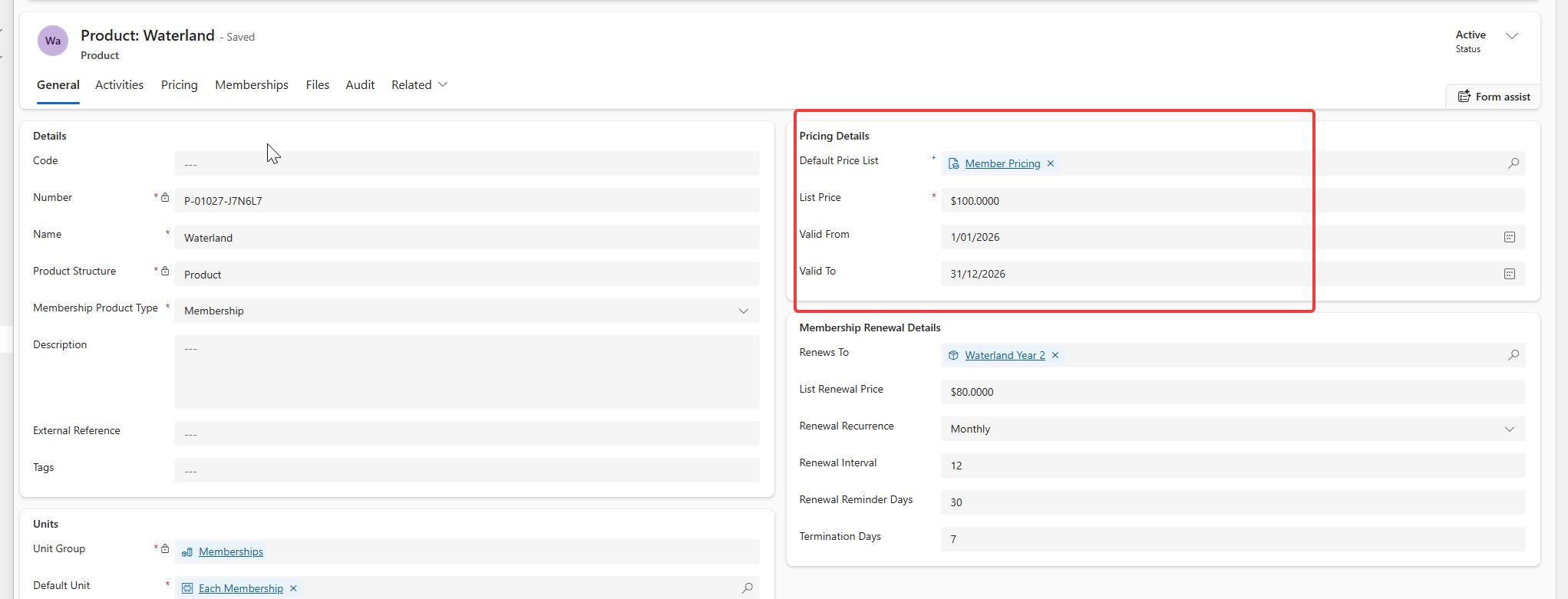
Membership Products define the pricing structure used for memberships.
Common pricing-related settings include:
- List Price
- Renewal Price
- Default Price List
- Renews To
- Pro-Rata configuration (if used)
These settings influence both membership creation and renewal pricing.
Configure Price Lists
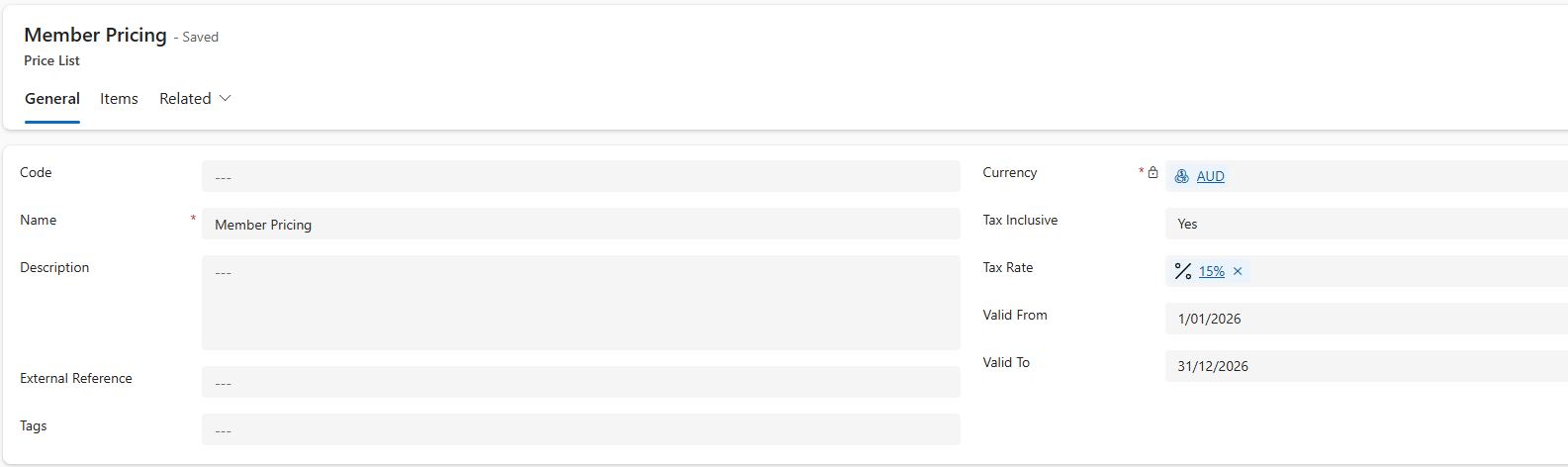
Price Lists provide the pricing framework used throughout Klevr Members.
A Price List controls:
- Currency
- Tax configuration
- Pricing validity dates
- Product pricing rules
A Membership Product can reference a Price List to determine the pricing that should be applied.
Configure Price List Items
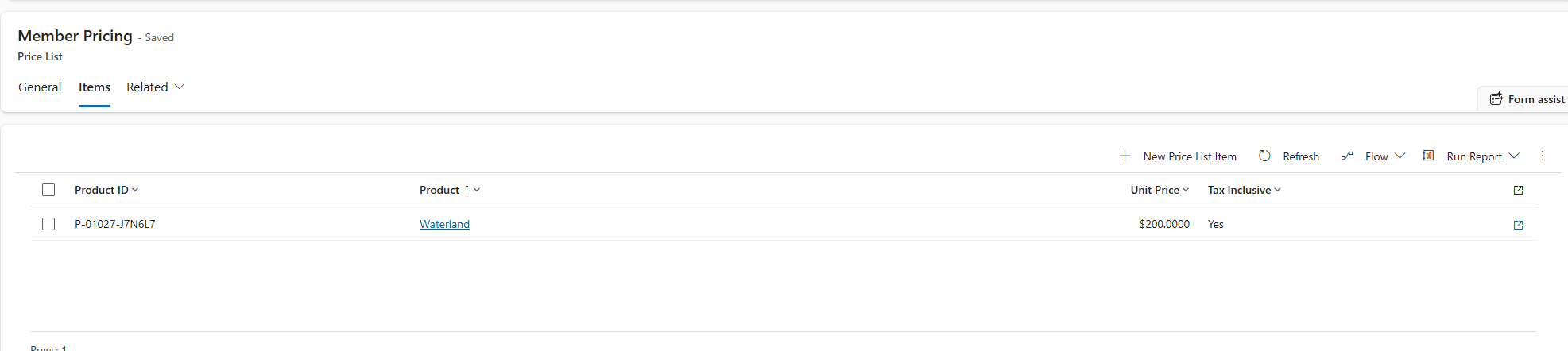
Price List Items contain the actual prices used during invoice generation and membership processing.
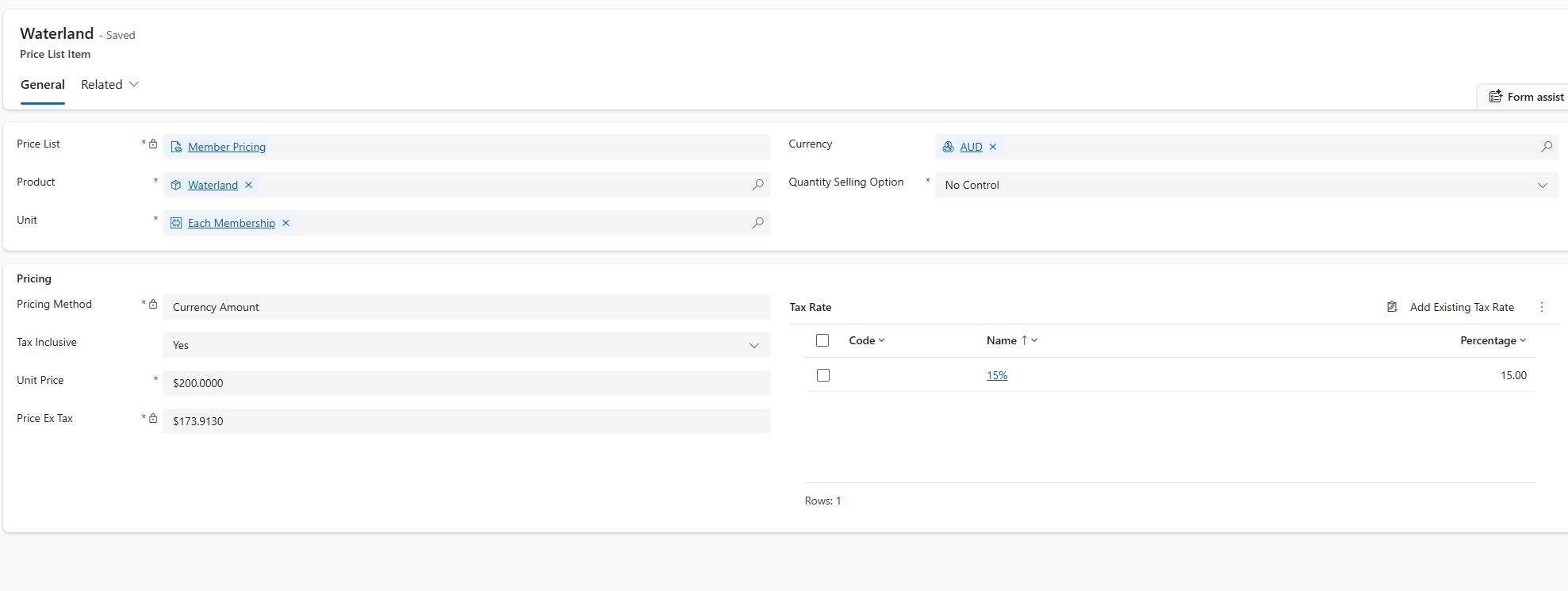
Each Price List Item defines:
- Product
- Unit Price
- Tax Rate
- Tax Inclusive setting
- Unit of Measure
A Membership Product will typically require a corresponding Price List Item when using Price List driven pricing.
Determine Membership Pricing
When a membership is created or renewed, Klevr Members determines pricing using the configured pricing records.
Pricing may be influenced by:
- Membership Product
- Price List
- Price List Item
- Renewal Price
- Pro-Rata configuration
- Customer-specific automation
Where a valid Price List and Price List Item exist, pricing is generally derived from those records.
Where pricing records are not available, the Membership Product's pricing values may be used instead.
Apply Tax Configuration
Tax calculations are influenced by:
- Tax Rate
- Tax Inclusive configuration
- Price List configuration
- Price List Item configuration
If Tax Inclusive is enabled, the system calculates the tax component from the total price.
If Tax Inclusive is disabled, tax is added to the base amount during invoice calculations.
Generate Invoice Pricing
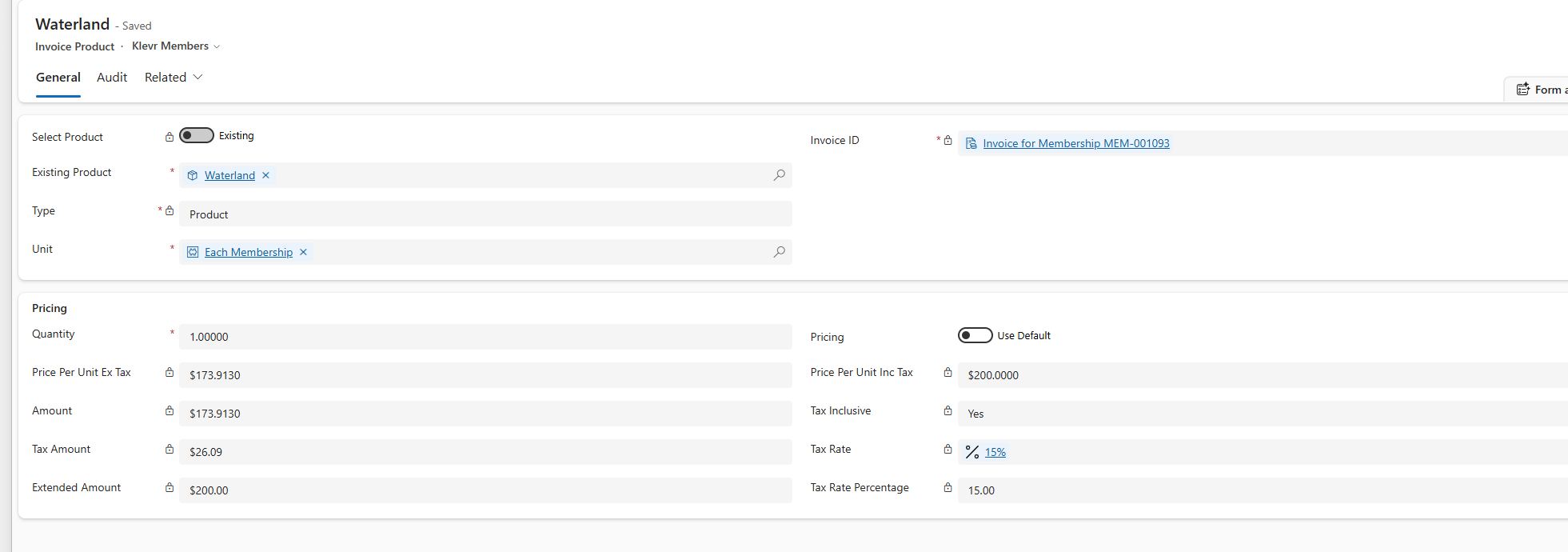
When an invoice is generated, pricing information flows through to the Invoice Product records.
Invoice Product calculations may include:
- Unit Price
- Tax Amount
- Extended Amount
- Entitlement pricing
- New membership pricing
- Renewal pricing
- Upgrade pricing
The Invoice Product automation is responsible for calculating the final invoice values.
Pro-Rata Pricing (Optional)
Some organisations use Pro-Rata pricing to charge reduced membership fees when members join during part of a membership period.
When implemented, Pro-Rata configuration can influence:
- Membership pricing
- Renewal pricing
- Invoice generation
Last updated on