
Membership Renewals
The Membership Renewal feature allows organisations to efficiently renew large numbers of memberships by grouping them into Renewal Batches.
Membership Renewals
Overview
The Membership Renewal feature allows organisations to efficiently renew large numbers of memberships by grouping them into Renewal Batches.
Renewal Batches provide an opportunity to review memberships before they are renewed and allow organisations to introduce approval processes, custom validation or customer-specific workflows before renewal processing occurs.
Klevr Members includes Power Automate templates that can be customised to support an organisation's renewal process.
How Membership Renewals Work
The membership renewal process is driven by Membership Product configuration and Renewal Batches.
A typical renewal process follows this sequence:
- Membership Product renewal settings are configured.
- Memberships become eligible for renewal.
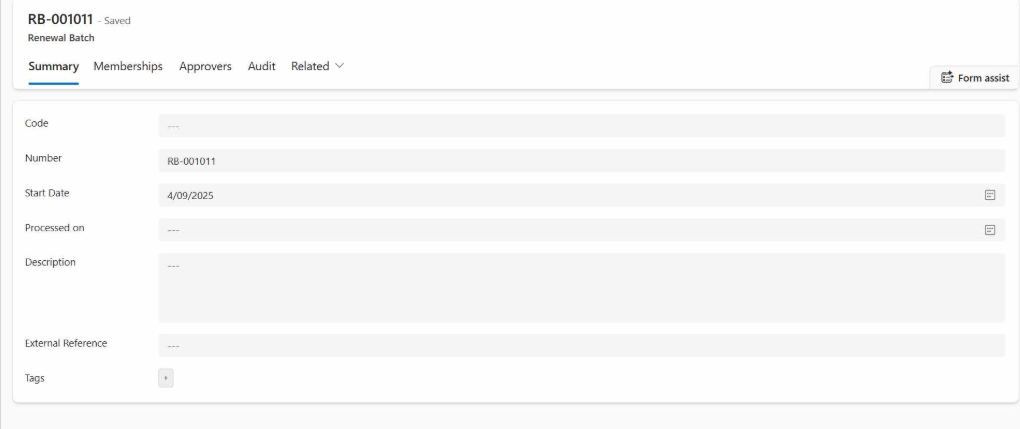
- A Draft Renewal Batch is generated.
- The batch is reviewed.
- The batch is committed.
- Membership renewals are processed.
- The Renewal Batch is marked as Processed.
Configure Membership Products
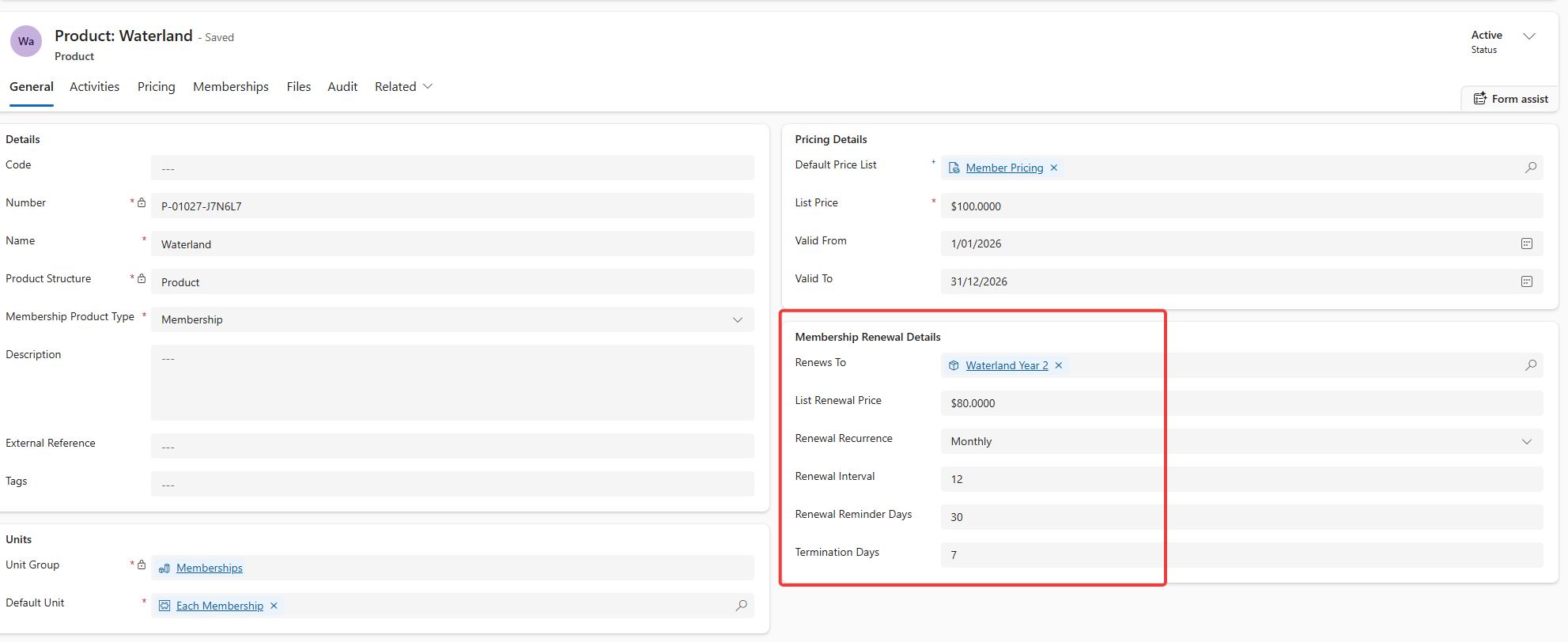
Before memberships can be renewed, renewal behaviour must be configured on the Membership Product.
Common renewal settings include:
- Renews To
- Renewal Price
- Renewal Recurrence
- Renewal Interval
- Renewal Reminder Days
- Termination Days
These settings determine:
- Which Membership Product a member renews into.
- How renewal pricing is calculated.
- When reminders should be sent.
- How often memberships renew.
Generate Draft Renewals
Klevr Members includes the Klevr Members – Generate Draft Renewals Template Power Automate flow.
This flow identifies memberships that are due for renewal and groups them into a Renewal Batch.
The template:
- Finds memberships due for renewal.
- Excludes memberships already assigned to a Renewal Batch.
- Finds or creates a Draft Renewal Batch.
- Adds eligible memberships to the batch.
Memberships added to the batch can be reviewed before processing.
Review Renewal Batch
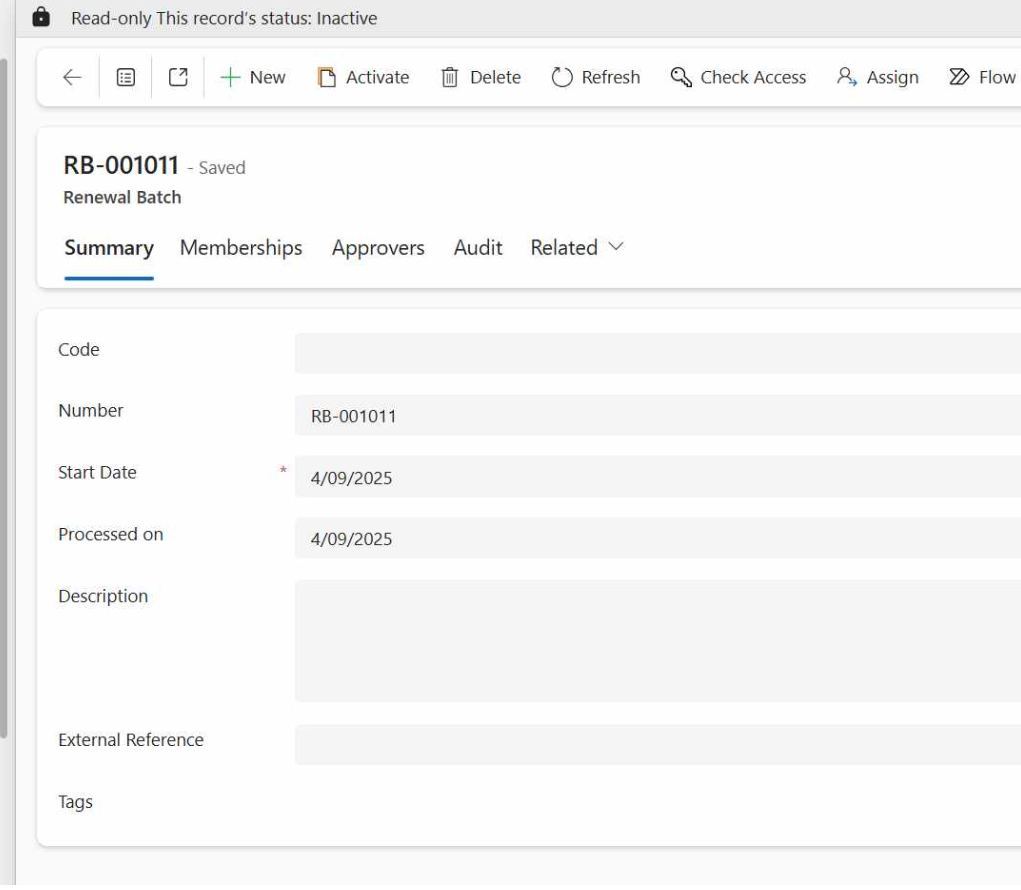
A Renewal Batch is initially created with a Status Reason of Draft.
This allows users to:
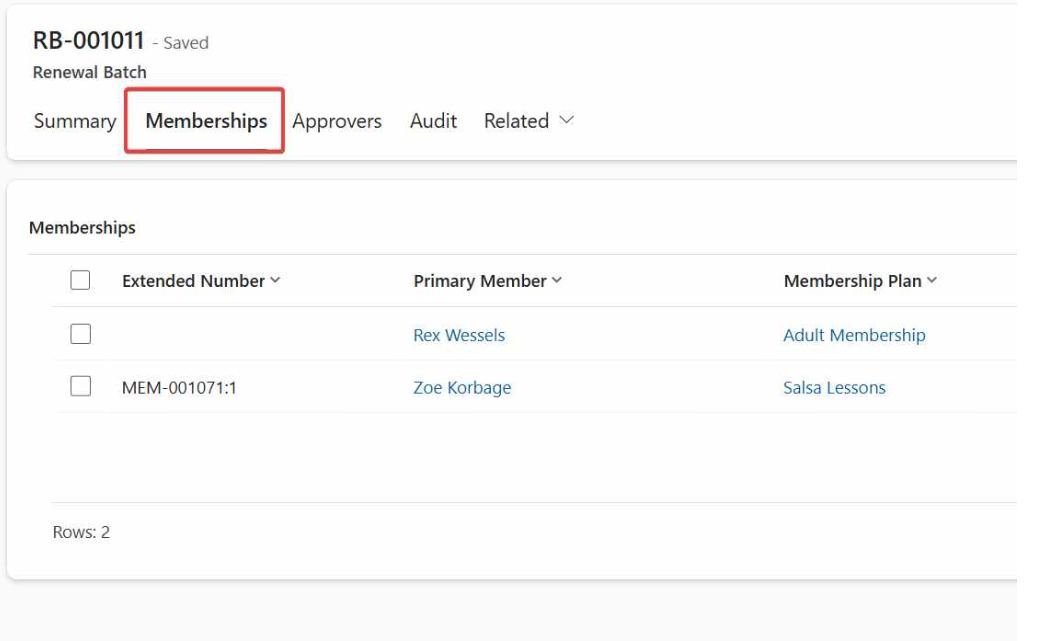
- Review memberships due for renewal.
- Validate renewal information.
- Apply customer-specific approval processes.
- Confirm that the batch is ready for processing.
Organisations may choose to introduce additional validation, approvals or automation at this stage.
Commit Renewal Batch
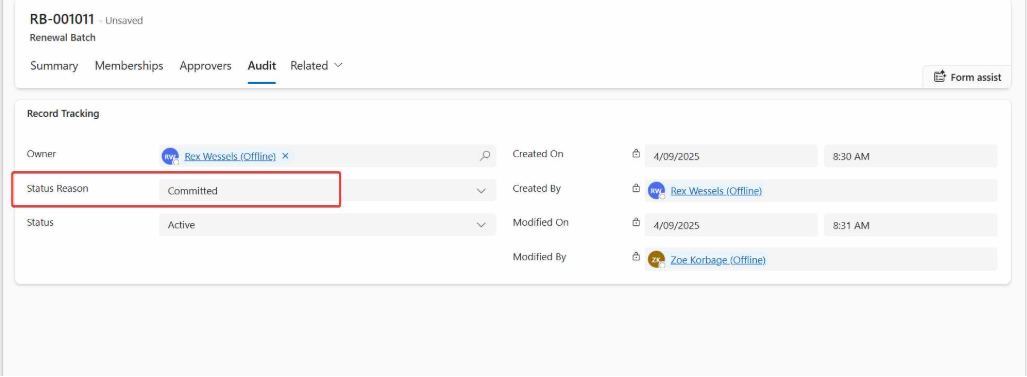
Once the batch has been reviewed, the Status Reason is updated to Committed.
Changing the Status Reason to Committed triggers the renewal processing stage.
This action can be:
- Performed manually by a user.
- Triggered through an approval workflow.
- Performed by customer-specific automation.
Process Membership Renewals
Klevr Members includes the Klevr Members – Process Renewals Template Power Automate flow.
When a Renewal Batch is committed, the flow:
- Retrieves all memberships associated with the batch.
- Processes each membership renewal through the renewal API.
- Creates the renewed membership records.
- Finalises the renewal process.
The exact renewal behaviour is driven by the Membership Product configuration.
Complete Renewal Processing
After all memberships have been renewed successfully, the Renewal Batch Status Reason is updated to Processed.
Processed indicates that the renewal batch has been completed and no longer requires action.
Power Automate Templates
Klevr Members includes two renewal templates:
- Power Automate Flow: Klevr Members – Generate Draft Renewals Template
Purpose
This flow identifies all memberships within Klevr Members that are due for renewal and groups them into a renewal batch.
Trigger
The flow is configured to run on a monthly recurrence.
Process Summary
- List Memberships
The flow retrieves all membership records where:
- The Renewal Reminder Date falls within the current month.
- The Membership Status is Active.
- The membership is not already associated with a Renewal Batch.
- Check for Existing Draft Batches
The flow searches for existing Renewal Batch records with a Status Reason of Draft.
- Determine the Youngest Start Date
Among the draft batches found, the flow selects the one with the most recent Start Date within the current month.
Example: If two draft batches exist—one with a start date of 1 July and another with 3 July—the flow selects the 3 July batch.
- Add Memberships to Batch
- If a suitable draft batch exists, the memberships are added to it.
- If no draft batch exists, a new Renewal Batch is created with:Start Date set to today’s date. All qualifying memberships associated with it.
- Subgrid Association
Memberships linked to a batch are visible in a subgrid under the Renewal Batch record.
Usage
This flow serves as a template for the delivery team to customise and adapt to specific customer requirements.
Renewal Batch Status Reasons
The Status Reason field on the Renewal Batch record supports the following values:
Draft:
Default status when a batch is created by the flow.
Committed:
Indicates that the batch is ready for processing.
- This status can be updated manually by a user or via a custom process (e.g. an approval workflow).
- Changing the status to Committed triggers a second Power Automate flow (details to follow).
Processed:
Indicates that the batch has been finalised and processed.
- Power Automate Flow: Klevr Members – Process Renewals Template
Purpose
This flow is triggered when a Renewal Batch record’s Status Reason is updated to Committed. It is designed to process all associated memberships and finalise the renewal batch.
Trigger
The flow is triggered automatically when the Status Reason of a Renewal Batch record changes to Committed.
Process Summary
- List Associated Memberships
The flow retrieves all Membership records linked to the committed Renewal Batch.
- Call Bound Action (API)
It then calls a bound action to an API that processes the renewal of each membership.
- Update Renewal Batch Status
Once all memberships have been renewed, the flow updates the Renewal Batch record's Status Reason to Processed.
Usage
This flow is also intended to serve as a template for the delivery team. It can be customised to meet specific customer requirements, including how and when the Committed status is applied—whether manually by a user or through an automated approval process.
Delivery Considerations
- Both renewal flows are provided as templates and are intended to be cloned and customised.
- Organisations may require additional approval processes before renewal processing occurs.
- Renewal reminders, communications and business rules often vary between customers.
- Membership Product configuration should be completed before implementing renewal automation.
- Renewal pricing may also be influenced by pricing configuration and Pro-Rata rules.
Last updated on