
Pro Rata
In Klevr Members there is advanced functionality called Pro Rata that allows the system to split the cost of items such as a membership or Continuous...
Pro Rata
What Is Pro-Rata
In Klevr Members there is advanced functionality called Pro Rata that allows the system to split the cost of items such as a membership or Continuous Professional Development (CPD) based on fixed renewal periods and dependent on when a person signs up.
For example, I want to apply for an annual zoo pass, which has a 1-year membership. However, at this zoo, all memberships must expire on December 31st, and then renew for the new year. I join mid-year, so I would be charged the pro rata amount rather than the full year. The pro rata system can take this into consideration and create a proper billing scenario for me.
Pro Data Config
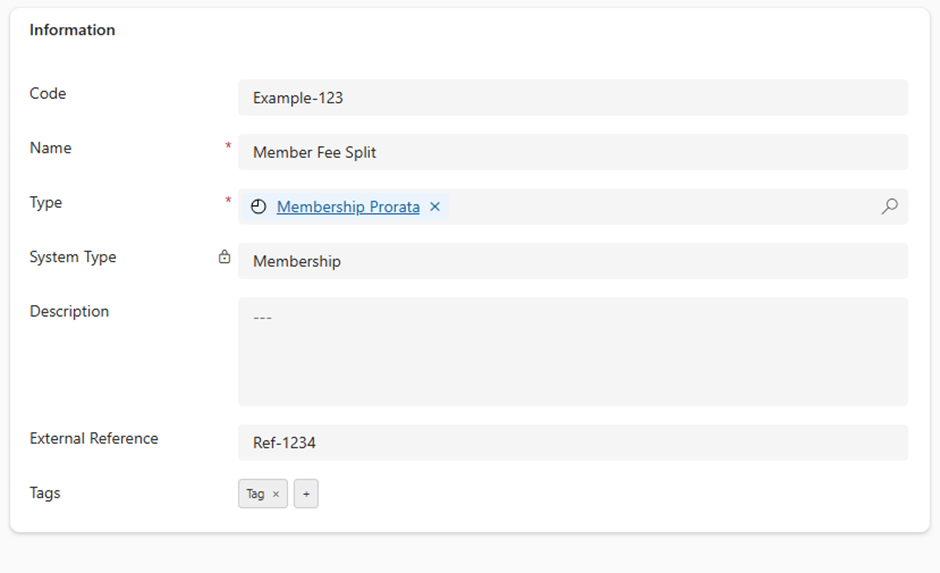
Information
This section allows for basic details such as the name and any referential data. It also exposes details from the related Pro Rata Types record, which is covered below.
Details
The details section is the calculation for splitting up the membership or CPD.
- Period – How long the Membership would be for.
- Interval – How many Periods is the membership for.
- Rollover Start Date – When does the Period reset Make sure this is in the past. The system calculates periods into the future starting from this date.
- Adjustment Interval – Specifies how frequently the membership cost is recalculated based on elapsed time since the membership period began. Works in conjunction with the Cutover days to determine whether to include or exclude the current interval
- Cutover Days – Number of days into a period before the period is excluded from the cost, e.g. 15 on monthly would mean if you sign up on the 15th or later you don't pay for this month, but if you sign up on the 14th, you do.
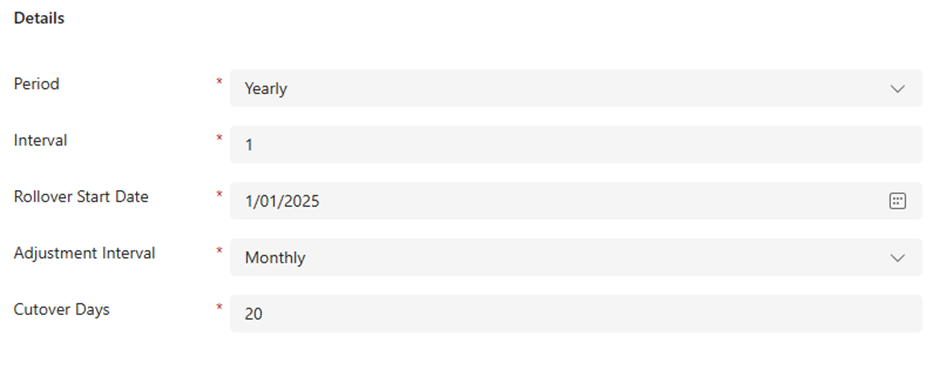
In this example, the membership is Yearly, the Interval is 1 year, the rollover starts counting on January 1st, broken into months, and the cutover day is the 20th day of that month.
So if I joined the zoo on January 20th, and the membership is $500, I will pay $458.33 as I am paying for 11 months with this configuration.
Prorata Cost Configuration Tester
This tool is available on the pr rata config form and allows for someone to test the configuration against a scenario with a test sign up date. Note that it calls the Custom API, which reads the saved version of the record from the database, so if you make changes to the config record, you need to save them to see the effect in the Testing section.
For example, if the zoo membership is $500 and I sign up on January 1 I will see the following:
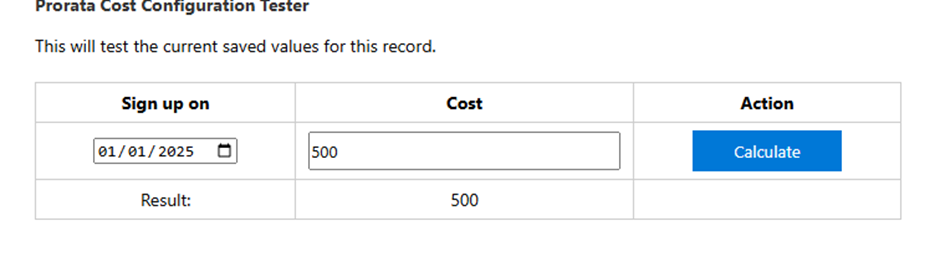
The result is $500 because I will be joining the zoo for the entire year with a full membership.
If I change the date to January 19th, I see the following:
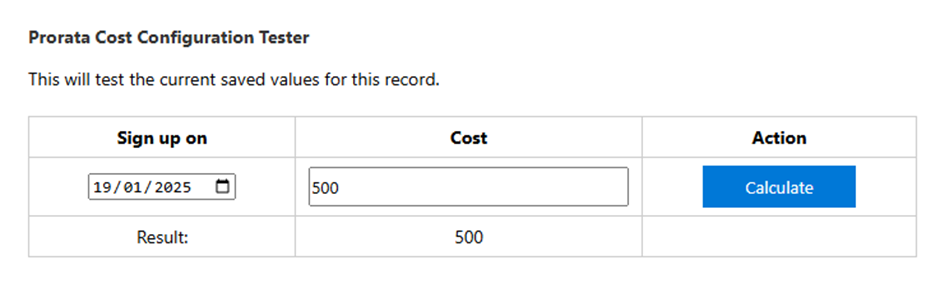
The result is still $500 because the cutoff days (in our example, 20) is not met yet, so I still pay the full cost.
If I change the date to January 20th, I see the following:
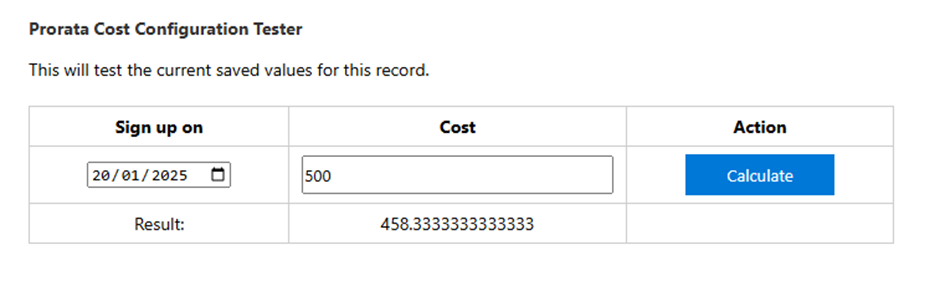
The amount has been lowered to 11 payments, resulting in $458.33, because the Cutover Days has impacted the calculation.
If I change the date to February 1st, I see the following:
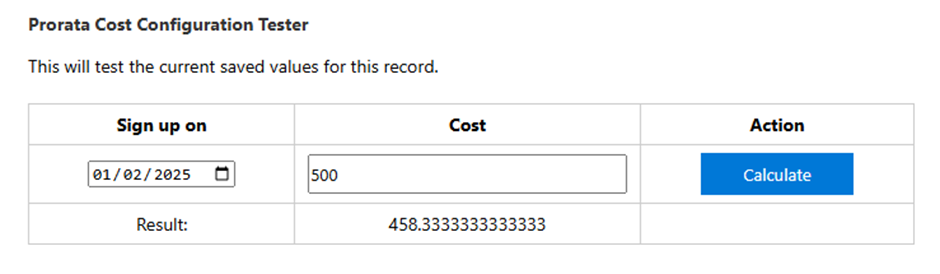
The result, $458.33, represents the amount I would owe as I am only joining for 11 months.
Pro Rata Types
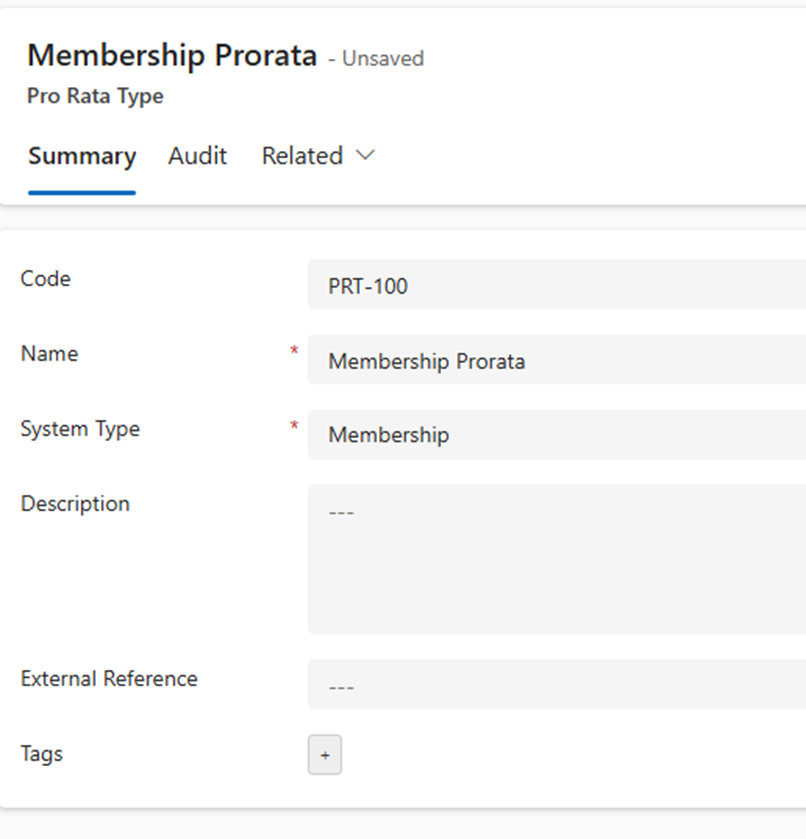
Pro Rata Types are supporting records for the Pro Rata Config records so that common data can be re-used rather than have to enter it over and over on the Pro Rata Config record.
The main piece of configuration here is the System Type which defines if the configuration is used for a Membership, CPD, or Other. This selection is then exposed back on the Pro Rata Config table.
Technical Notes
It is worth noting that out of the box the Pro Rata system does not connect into any records. This needs to be configured by the delivery team to ensure proper use for each client.
The pro rata system has a defined Custom API and plugin that calculates the correct amount or ratio for you.
The klevr_CalculateProrataCost custom API takes 3 parameters:
- The Pro Rata Config record ID to use for your calculation
- The klevr_CalculateProrataCost_StartDate specifying the date a user joins or signs up
- the klevr_CalculateProrataCost_TotalCost specifying the cost of a full price membership or programme (or whatever you want to apply it to). By specifying a cost of 1 (or leaving it blank) it will return a ratio that you can then multiply to any cost, for instance if you have a variable cost based on selections, but the pro-rata period is known, then you can get the ratio, and multiply it by the dynamic cost to get the final amount.
Last updated on