
Profile Completion
In some cases, it might be necessary to capture certain information about a user before allowing them to interact with the portal.
Feature Overview
In some cases, it might be necessary to capture certain information about a user before allowing them to interact with the portal. There is a checkbox that can be ticked in the Umbraco back office to force users to completely fill out the profile form before allowing them to navigate around the portal. This feature is very useful when onboarding users to ensure that all required information is captured at the very beginning of their experience.
Additionally, as the information required can be different for each Klevr Portal installation, the implementation team can control what fields are mandatory for a user to complete.
Dependencies
The following are dependencies for this feature:
- If any mandatory fields are look-ups, there must be read permissions to the looked-up entity for the authenticated web role. It is critical to consider how this will impact the rest of the portal.
Design Details
In order to implement profile completion, please follow the below steps:
Select Settings from the Header Navbar then Configuration from the left navtree (Pictured below)
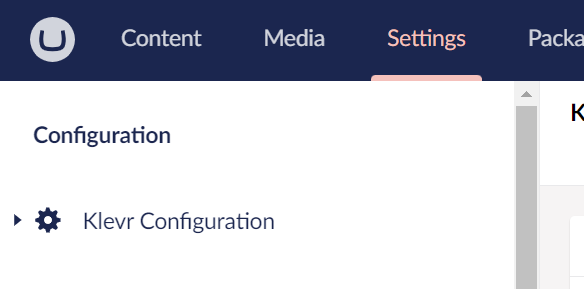
In the Dynamics Connection section, there is a checkbox labelled "Enforce Profile Completion"

- Once this checkbox is ticked, users will be required to populate all fields on the profile page before they can navigate around the portal.
- Once the user has completed their profile, the "klevr_portalprofilecomplete" is set to true.
- This flag is useful if another field is required to be captured for all users at a later date. The flag can be set to false for all users and the new field can be added to the profile page. Upon next login, all users will be required to enter an input for this field before being able to navigate around the portal.
In order to ensure the setup works as intended:
- The configuration of the profile page, including fields, messages, subgrids, etc must be completed by the implementation team.
- Furthermore, a plugin or realtime process within D365 needs to validate the contact records on update to see if the profile is complete or not for the given contact.
- If completed, it needs to set the klevr_portalprofilecomplete flag.
- This needs to happen within the same transaction to ensure the portal gets updated information immediately and does not redirect the user back to the profile page if their profile is, in fact, completed already.
- If an asynchronous process is used, the user will have to log out and log back in before they are free to navigate the site.
- The Klevr product does not have a template for marking the profile as complete, and by default, this setting is not on in the portal.
Last updated on