
Klevr Forms 2.0 Save PDF to Sharepoint
This feature allows users to automatically generate a PDF from a form response and save it to a designated SharePoint location.
Feature Overview
This feature allows users to automatically generate a PDF from a form response and save it to a designated SharePoint location. It also includes a PDF Visibility property that controls which elements are shown in the PDF output, even if they’re hidden on the form UI.
Design Details
Changes have been made to the Survey Editor and Form Response web resources to allow for the ability to save a pdf generated from a SurveyJS form response to Sharepoint.
Form Editor Changes
- PDF Visibility Property: Introduced a custom boolean property (
PDF Visibility) per question or page. - Conditional Rendering Logic: Allows form elements to remain hidden during standard form interactions but visible in PDF output.
Form Response Changes
- Save to Sharepoint Logic: Logic on the form response has been added to allow saving the PDF directly to sharepoint. It will take the first sharepoint location linked to the form response and save it in that defined location.
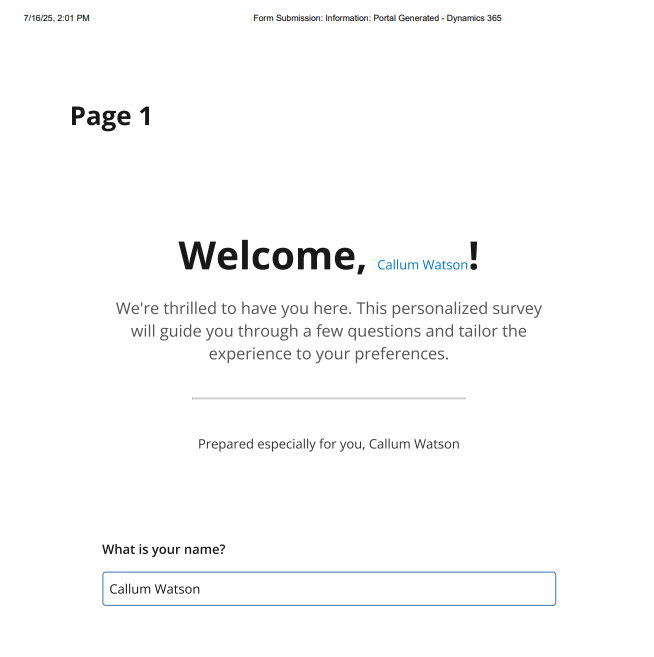
- Printing/PDF Visibility Logic: Visibility logic has been added to show any pages/questions that has the property "PDF Visibility" set to true. Meaning if you set a page/questions' default visibility to false and then set the pdf visibility to true. It won't show when filling out the form or on the form response itself. But when you print/save the pdf the question/page will then show on there.
Example:
In this example I have a page and the visibility is unticked, meaning it won't show when filling out the form, or on the form response. I also have a HTML markup in the page with slugs relating to questions answers that are on the form.
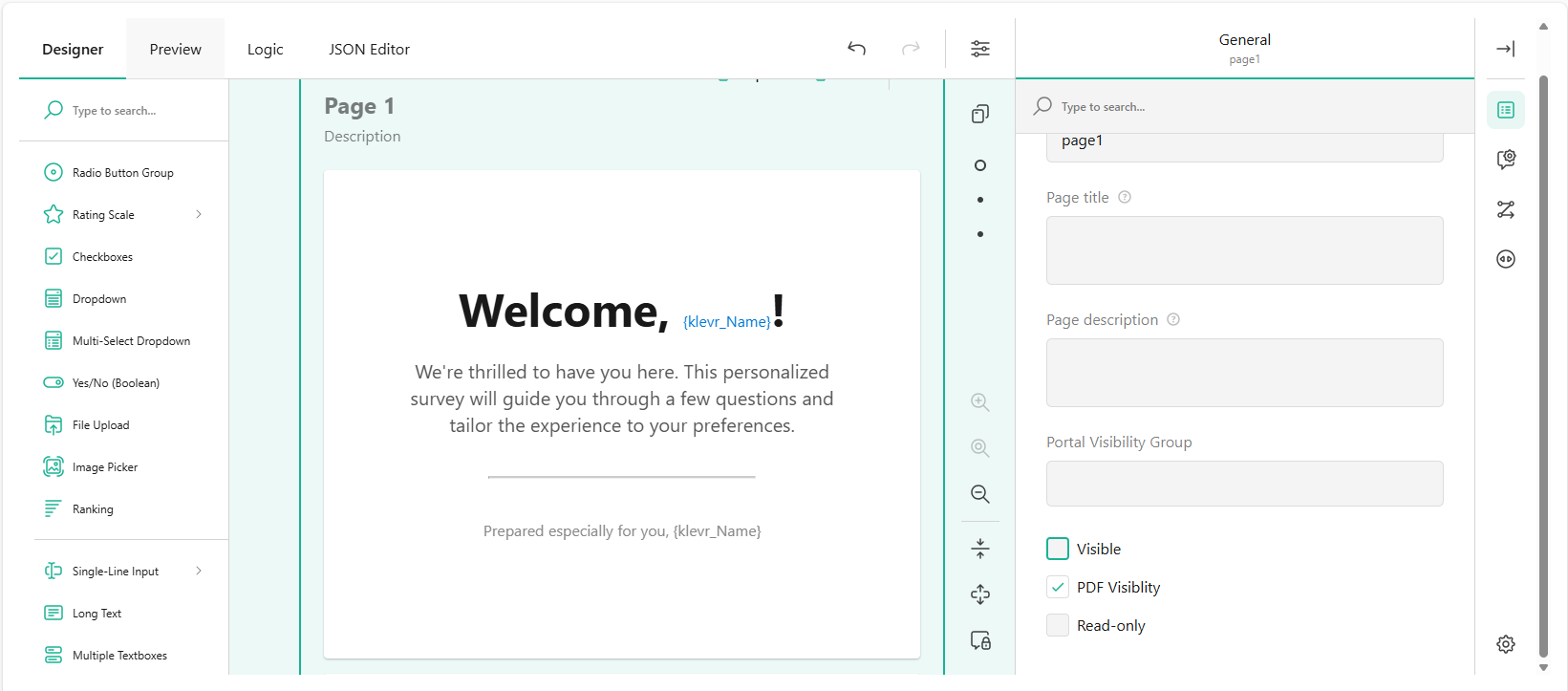
As you can see below, the HTML mark up is not showing.
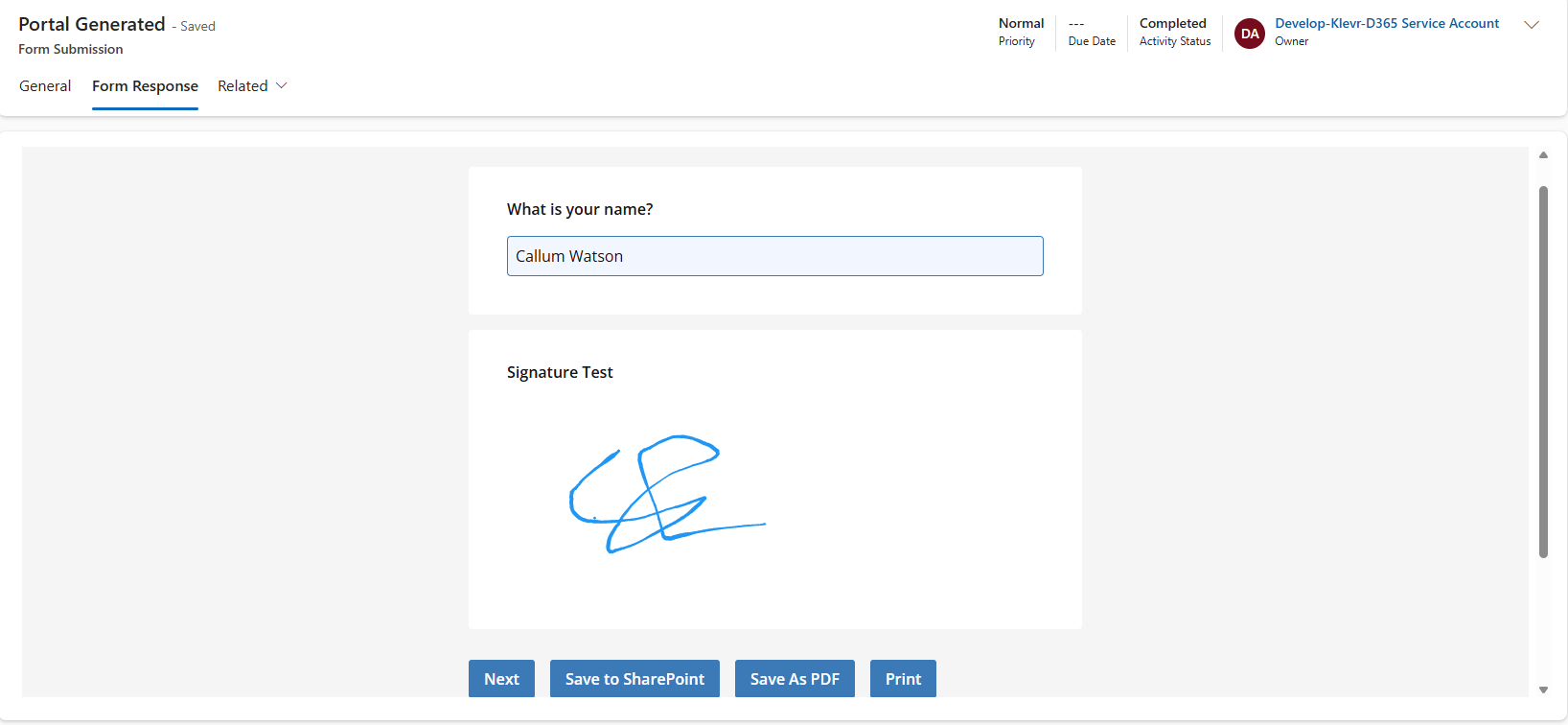
When I then use the Printing or the Two Saving features you will then see that the HTML Markup will show as shown below:
Along with the Save PDF to Sharepoint, I have created a custom script as an example to allow using Ribbon buttons to call the Save to Sharepoint feature.
function triggerSurveySave(primaryControl) {
    const webResControl = primaryControl.getControl("WebResource_formresponse");

    if (!webResControl) {
        console.log("WebResource_formresponse control not found.");
        return;
    }

    const webResWindow = webResControl.getObject().contentWindow;

    if (!webResWindow || typeof webResWindow.triggerSaveToSharePoint !== "function") {
        console.log("Proxy function triggerSaveToSharePoint not found.");
        return;
    }

    webResWindow.triggerSaveToSharePoint();
}
This will get the iframe and trigger the Save to Sharepoint function to allow saving to Sharepoint. You will need to ensure that the Form Response has been loaded before running.
📎 References
Last updated on