
Klevr Forms
The ability to display forms through the portal allows for an entire Dynamics Form to be displayed on a record with a simple lookup field.
Feature Overview
The ability to display forms through the portal allows for an entire Dynamics Form to be displayed on a record with a simple lookup field. This feature allows for Walkerscott consultants, or our clients, to rapidly build out and edit forms to capture all data they would like to gather in an easy and efficient manner.
Dependencies
The following are dependencies for this feature:
- Tag Control PCF Solution
- klevr_forms Solution
- klevr_Model Solution
Design Details
Once the solution dependencies have been installed, please follow the below steps to display a klevr_form through the klevr_portal.
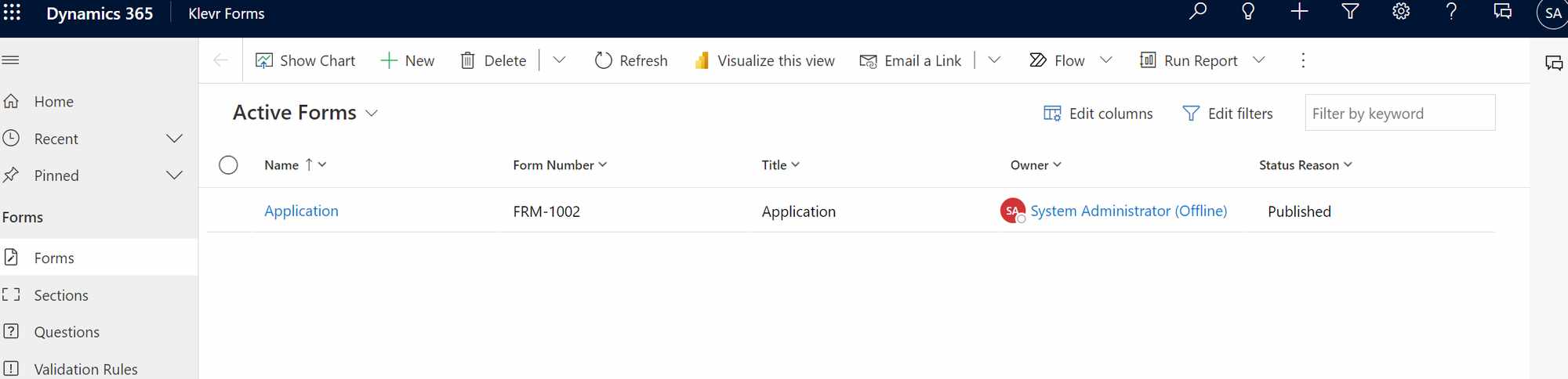
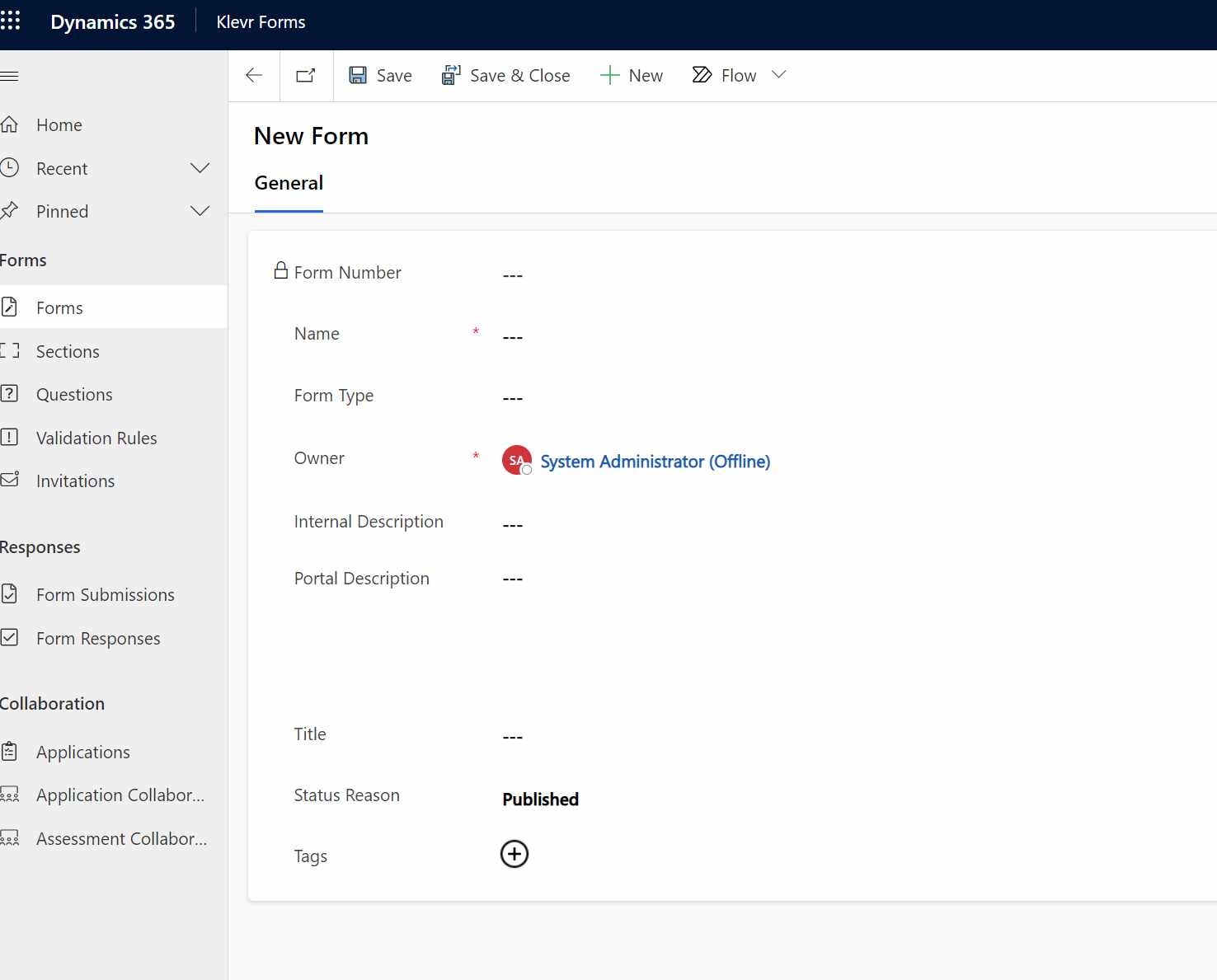
Select New and create your form. Please enter your details and select Save. You will then be directed to the edit form page where you can create sections.
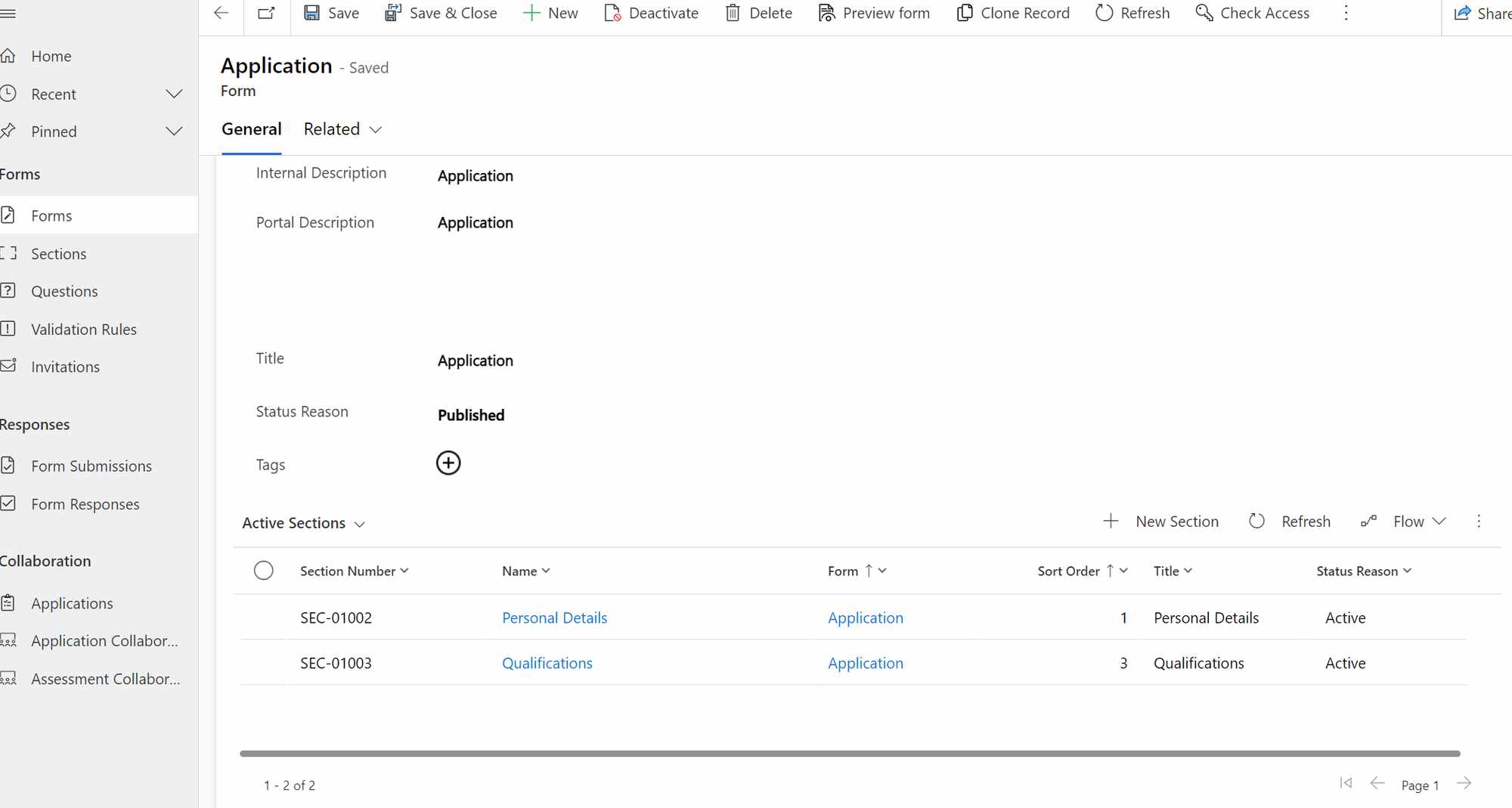
Here is the Edit Form page. On this page, you can add sections.
Inside each section, you will be able to add questions.
Once you have completed making you form it is time to display the form in your klevr portal.
Please navigate to your environment in Power Apps and select the solution that you are editing. Note: You should see the klevr forms and klevr models solutions in your list of solutions. Select (create if necessary) the entity that your form relates to and add a column with an appropriate name (ex. ws_applicationformid). This column should be a lookup to the form entity (example below).
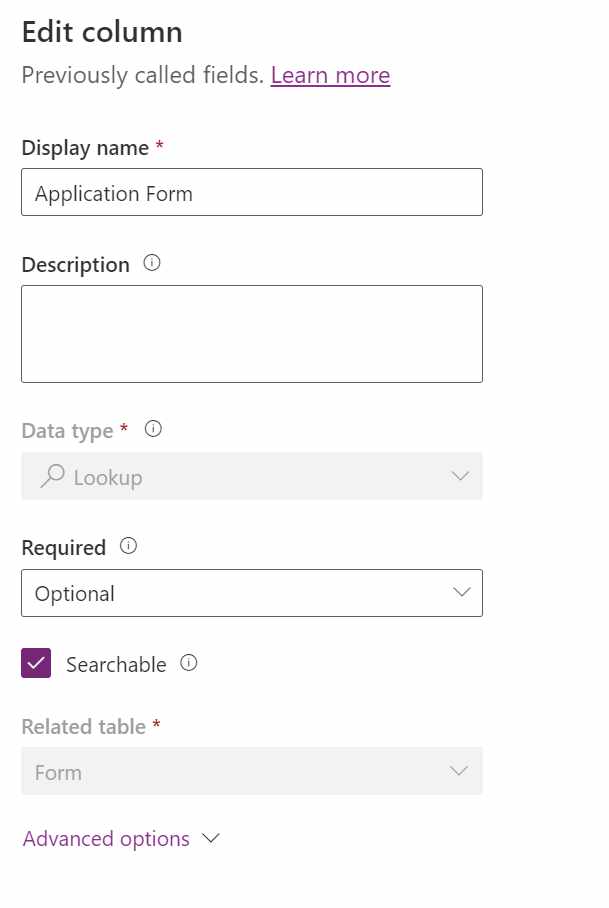
It is important to keep in mind that this field can only be populated for an existing record. In the example provided, we are using the application, and a record must be added to the application entity before the we_applicationformid can be populated. You CANNOT display a form for a record that has not been created. Once you have the above setup completed, you must create a business process to automatically populate the form look-up attribute for your newly created record.
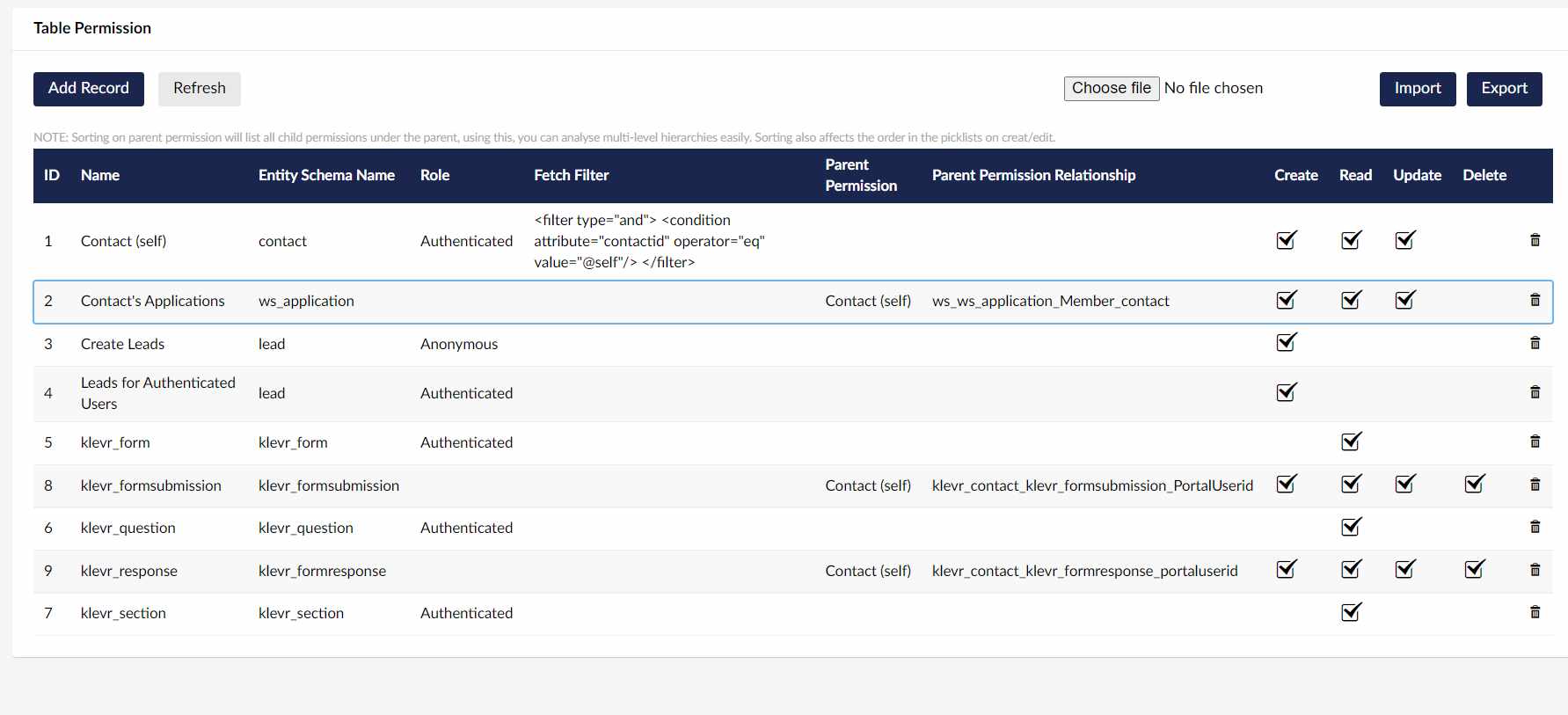
Within the back office of Umbraco you must apply the following permissions in order to allow your users to see and submit forms (Pictured below)
Last updated on