
Blob Storage Manager
Azure Storage of NTEXT fields.
Feature Overview
This feature allows you to store multiline text fields in Azure Blob storage, to attempt to minimise database storage size for Dynamics. It consists of a plugin, with 4 steps per entity. On create or update, it will check if the field(s) in question are being updated. If it is, it will remove the contents from Dynamics, and store it in an Azure blob. On Retrieve and Retreive Multiple events, it will check if the fields are in the resultset, and replace their contents with the contents from Azure. This means that the record will still appear normal and the user will still see the value the entered into the field, but it will not consume Dynamics Database Storage. You can specify one or more fields per entity. You can also specify the DocumentBody field for the Annotation record to have file attachments stored in Azure.
Listing records with a moved field as a column, opening a record and updating a record will all appear normal, as the correct data is moved and injected as required for the field(s) in question byt the plugin steps. However, performing an advanced query with a moved field as a filter (e.g. description contains "xyz") will not return any data, since the data is not in Dynamics, and therefore a query like this will not find the correct info. Also doing direct queries on the Table Data Service (e.g. through PowerBI) will also not return the data, as it is not in the dynamics database.
Dynamics fields that have had their data moved will have a special character in the database: "⫸" (without quotes).
There is also a feature to restore the data from Azure back into the field. You can do this by updating the field in question to the special character "⫷" (without quotes). This will read the contents from Azure storage, and store it back into the dynamics database.
In order to enable the plugin for an entity and field(s), you can use a klevr admin tool built for this purpose. Navigate to /webresources/klevr_admin.html and select the "Blob Storage Manager" tool.
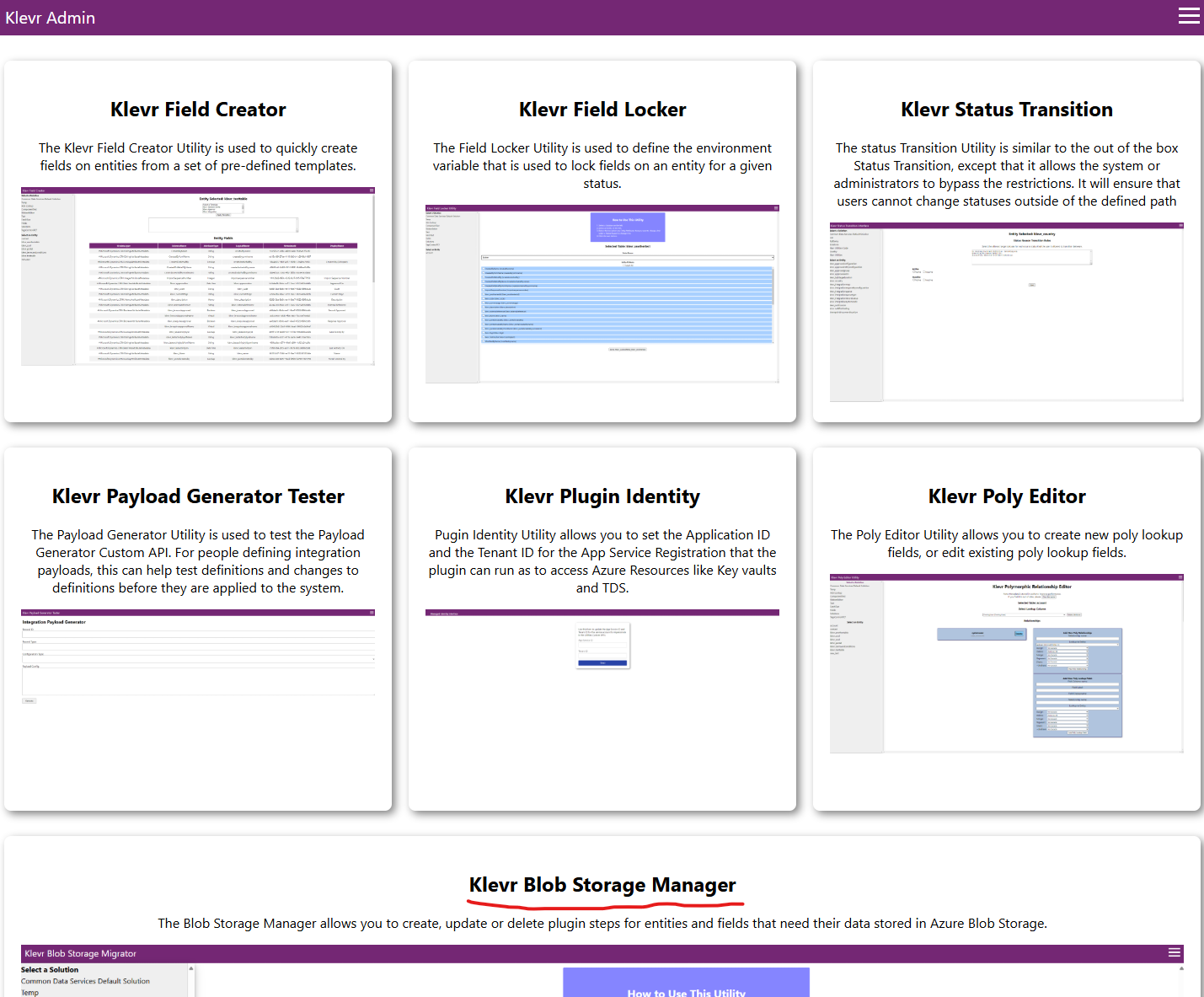
From here you can select a solution to add the plugin steps to (e.g. your custom code solution) and select the entity, and one or more string fields to apply it to. This will create the plugin steps for you. You also have to specify the azure blob storage url to use.
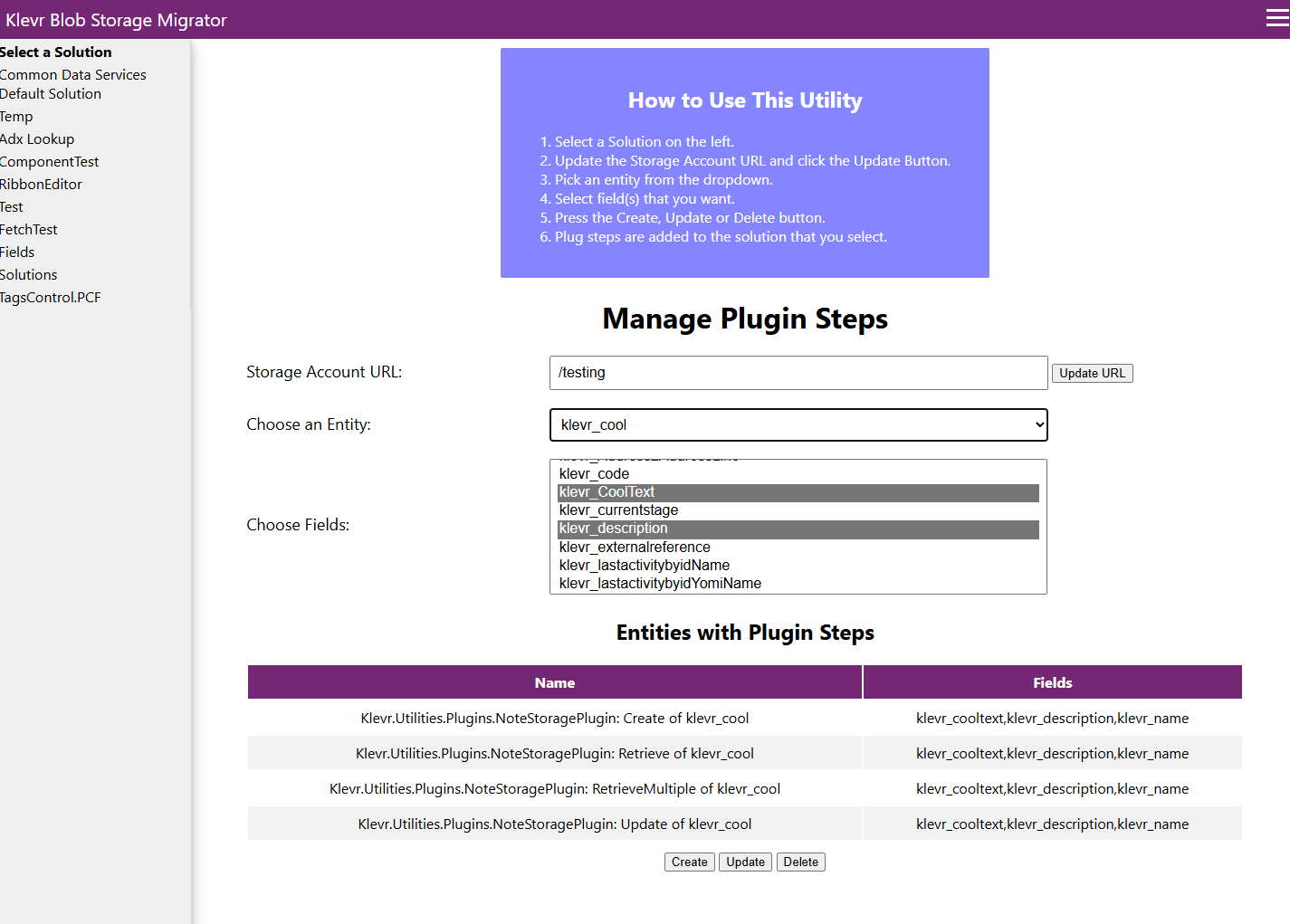
Existing data is not migrated once the plugin is switched on. Only once the field is updated, it will be migrated.
If you wish to remove a field from being stored in Azure, you will need to first extract the existing values by updating the field(s) to "⫷" (without quotes), and then remove the field from the plugin configuration, or remove the steps from the entity by using the klevr utility admin interface.
Assumptions
- You have an Azure Blob Storage account configured for use for this utility
- You have configured the Federated Identity for the Utilities assembly (see Execute SQL Custom API for infor on configuration)
Dependencies
The following are dependencies for this feature:
- You have Klevr Utilities installed.
Security Considerations
- the text is stored in plain text in Blob storage as text files. Ensure the blob storage is sufficiently secured.
- Only the managed identity configured for the plugin needs to have access to the blob storage account. Each user does not need access.
🚫 Out of Scope
- moving of data based on conditions (e.g. record older than 6 months or record state = deactivated) has not been built.
- Currently deleting a record does not delete its data from blob.
Last updated on