
Klevr Subgrid PCF Control
Instead of using third party controllers we have created our own and added extra features.
Feature Overview
Instead of using third party controllers we have created our own and added extra features. The Subgrid PCF Control allows you to use FetchXML to retrieve data and display it in a Dynamics Subgrid look.
Design Details
Basic Usage
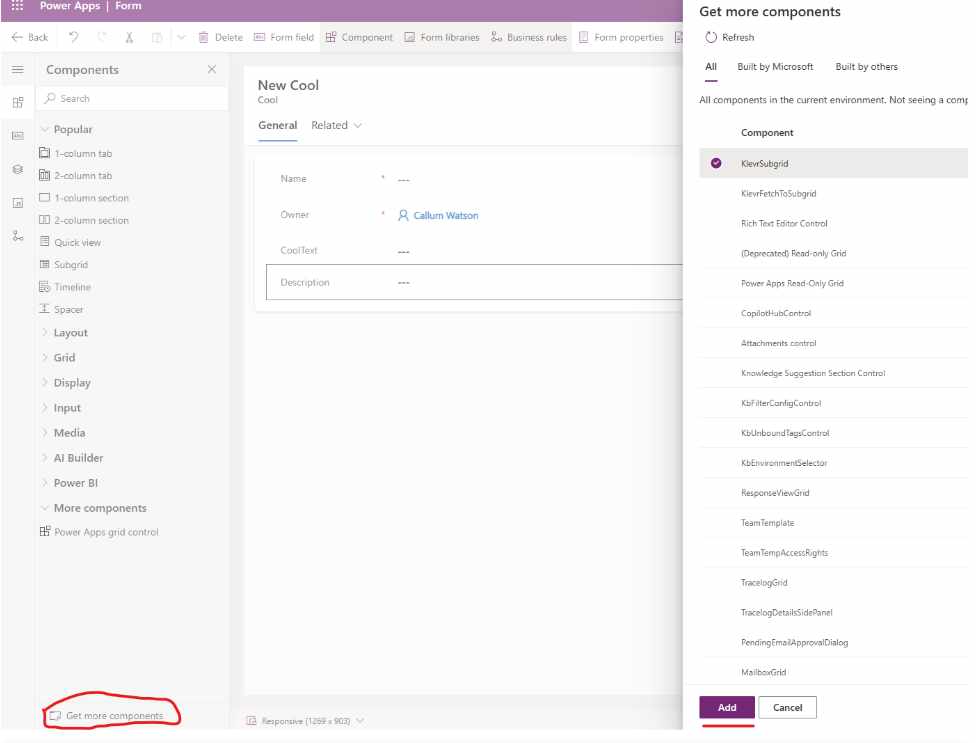
First off you will have to add the PCF control to the form as shown below. Note: If it does not show up, click get more components and then you will be able to search for KlevrSubgrid and then add it.
You will need to then fill out the parameters of the control as shown in the image below.
You must fill out the following parameters: Default FetchXml: Set this to fetchxml that you want to run to populate the subgrid.
Default Page Size: Set this to the number of items you want to show per page.
Subgrid Id: Set this to a unique id for the Subgrid.
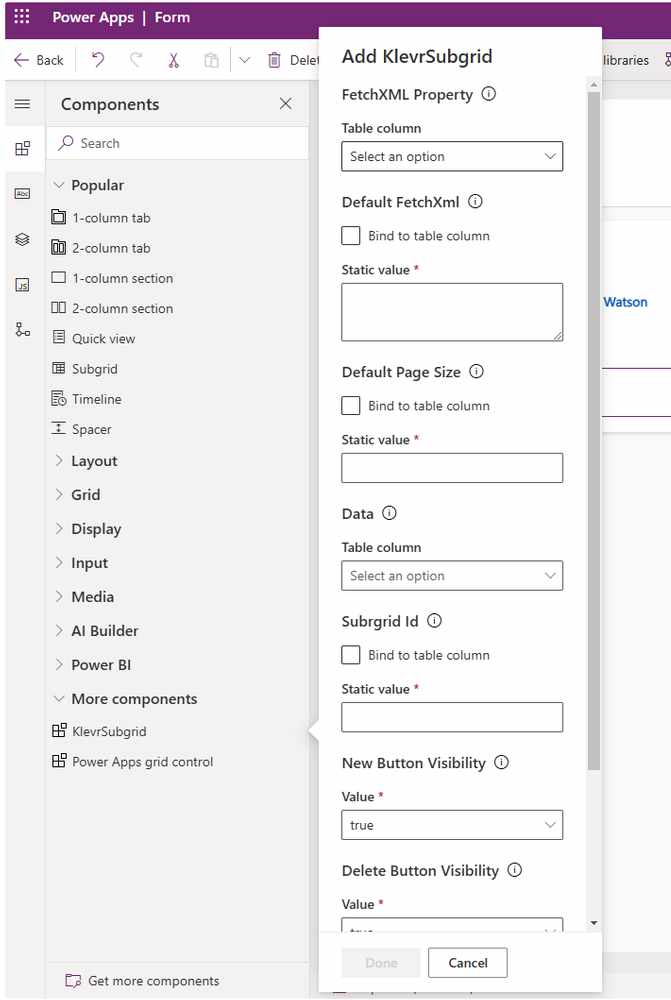
Then click Done and save the form and you should be good to go!
Injecting FetchXml using Javascript/Console
You can inject FetchXml using Javascript/Console. Below is a example of changing the fetchxml using the console.
window.KlevrFetchToSubgrid['subgridId'].injectData(`<fetch version="1.0" output-format="xml-platform" mapping="logical" distinct="false"><entity name="klevr_giftimport"><attribute name="klevr_name" /><attribute name="ownerid" /><attribute name="klevr_amount" /></entity></fetch>`);Last updated on