
How To: Enable Sharing on Pages
This guide describe how to Enable sharing on a page.
This guide describe how to Enable sharing on a page. The Page Sharing option uses the browser's built in sharing options to allow the user to share the current URL via an app on their device that allows sharing, for instance, sending the page URL to a colleague via email.
Purpose
The purpose of this functionality is to allow users to quickly and easily share links with their colleagues or other portal users that have access to the same record or page, or sharing of non-authenticated pages like public info pages or the home page. It is important to note that this function simply shares the URL with an app, and the user(s) receiving it should already have access for them to view the page. If they do not have access, they will receive an access denied error. This function does not automatically grant access to the recipients, since the link is shared to a list of apps, and different apps do different things with the link.
Detailed Instructions
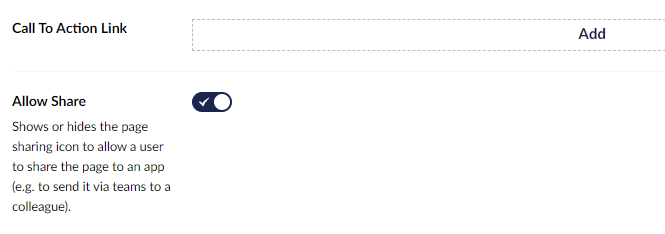
Sharing is done on a page per page basis, allowing you full control over which pages you wish your users to be able to share. Each page will have an "Allow Sharing" checkbox (default false) in the Navigation settings area in the backoffice:
Once you enable sharing on a page, when any user navigates to that page, they will see the "Share" icon next to the login or User Profile button:
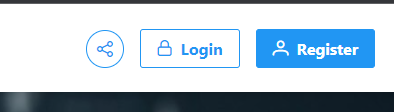
Clicking on this link invokes the browser's native share functionality, and as such the remainder of this process cannot be configured or customised, but relies on the browser and device to list the apps that would accept a page URL as a sharing action. This list will vary from device to device.
Security and Privacy Considerations
To re-iterate, the current URL is shared, and it does not automatically grant access to any recipient. Once they click on the link, if it is not a publically accessible page, they will be prompted for login, and if they login and do not have access to the page (e.g. a specific record not within their permission set) they will get an access denied or record does not exist error.
Last updated on