
How to Migrate Profile Page from DynamicsForm to DynamicsForm2.0
This guide describe how to migrate Profile page from DynamicsForm to DynamicsForm2.0.
This guide describe how to migrate Profile page from DynamicsForm to DynamicsForm2.0.
This guide assumes that you have sufficient knowledge and experiecne with Klevr portal customisation.
Purpose
To guide a Klevr portal administrator to migrate the Porfile page from using DynamicsForm to using DynamicsForm2.0
Considerations
You require version 2.8.0 or higher of the portal before updating the profile form. Version 2.8.0 contains the right templates to be able to render the profile form as a dynamics 2.0 form.
Detailed Instructions
Follow the below steps to migrate the Profile page.
In the Content section of Umbraco back office, rename the current Profile page to a new one (ex. Profile1). This serves as a reference to build the new page and hence kept temporarily until the new is configured.
In the Content section of Umbraco back office, create a new document of type Dynamics Form 2.0 with the name Profile.
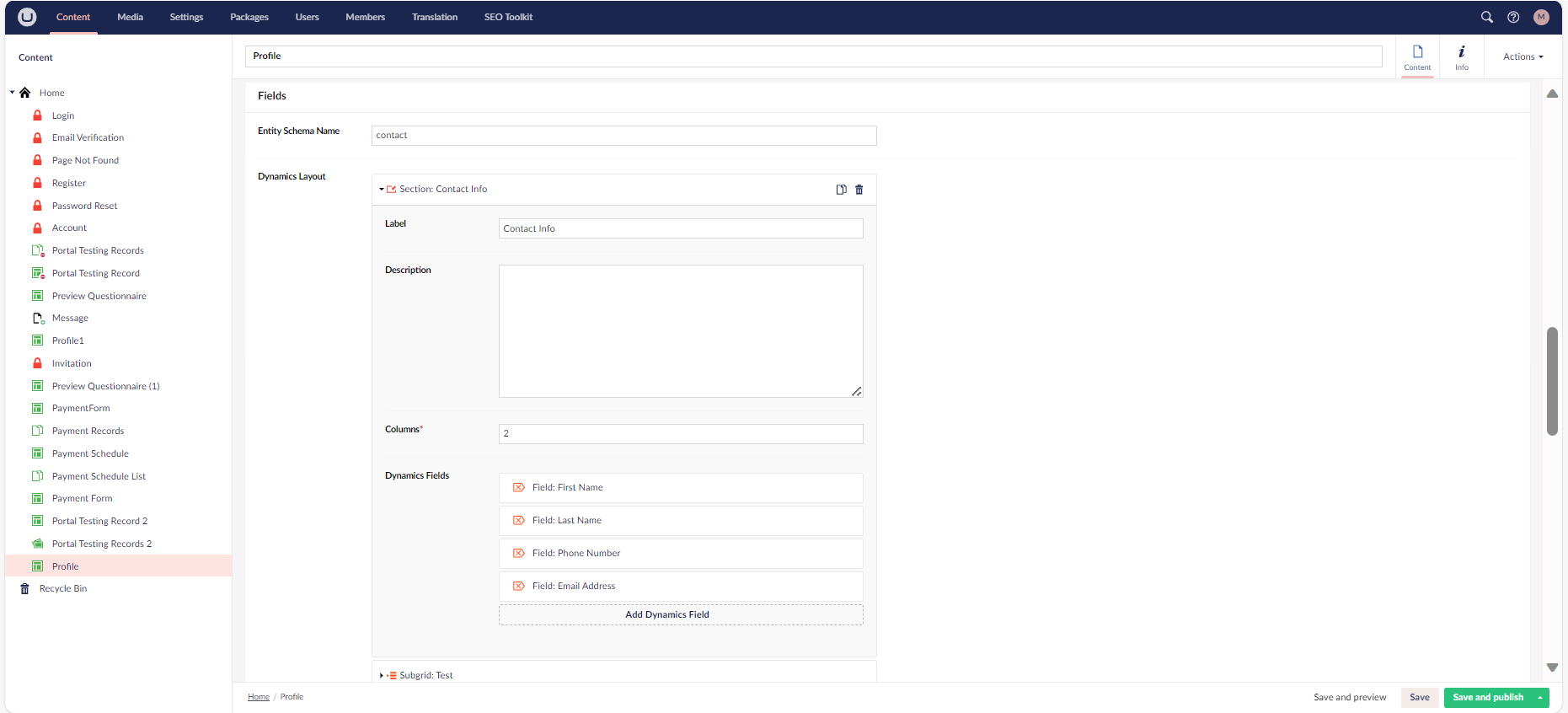
Configure the newly created document (Profile) as it was configured in the old one (Profile1). Refer the renamed document (Profile1) for the configuration.
Delete the renamed file (Profile1).
Delete the references that got created while performing above steps from Redirect URL Management in Content section on Umbraco back office.
Last updated on